Cursive Text Generator
So you want your text to look like handwriting but your actual handwriting looks like a doctor’s prescription. Been there. That’s basically why cursive text generators exist. You type something normal, the tool flips it into cursive style, and you copy it wherever you need it. Instagram bio, username, a caption, a printed card whatever. Done in ten seconds, no design app needed.It sounds almost too simple. But it works, and a lot of people use it daily without really thinking about what’s going on behind it.
What Cursive Text Generator Actually Is?
A cursive text generator is just an online converter. Plain text goes in, cursive-looking text comes out. The cursive you get doesn’t look pixelated or weird. It actually looks like a flowing joined-up script the kind of handwriting that people spent years learning in school before schools mostly stopped teaching it.
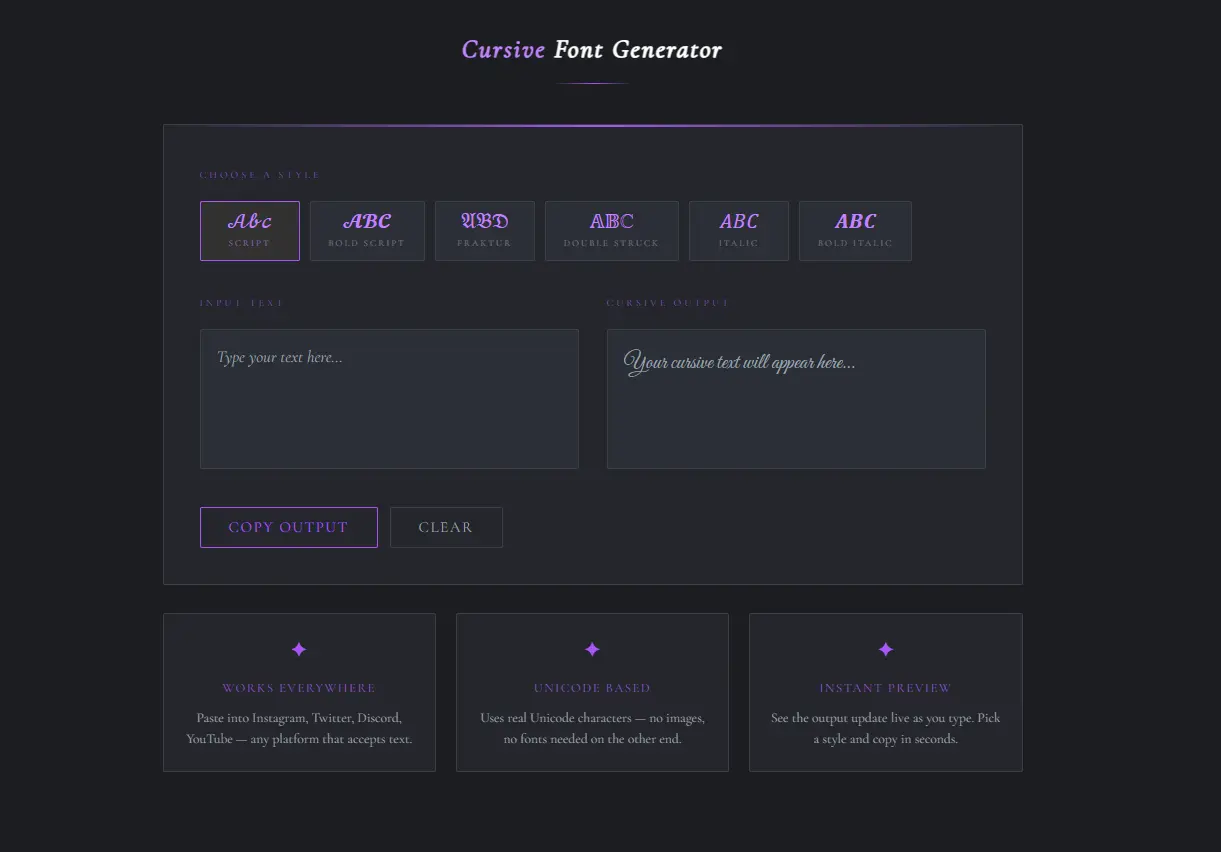
You don’t download anything. No account, no signup. Open the page, type your stuff, grab the output. That’s the whole process. And the wild part the cursive text you copy actually works on platforms that don’t support custom fonts. Twitter, Instagram, Discord, wherever. You paste it and it stays cursive. The reason for that is a bit interesting and I’ll get to it below.
Cursive Writing Has a Longer Story Than Most People Think
Before cursive became a TikTok bio thing, it was genuinely functional. The original point of cursive was speed. When you write in cursive, your pen barely leaves the paper. Letters connect into each other, so you’re moving constantly instead of stopping and starting with every stroke. For anyone writing long documents by hand which, before computers, was literally everyone cursive was just faster.Then it picked up a reputation for looking elegant. Formal letters, legal documents, wedding invitations anything that needed to look intentional ended up in cursive.
It became the “serious” handwriting style, which is a bit funny because it started out as the lazy shortcut. Two versions developed over time. Formal cursive where every letter links to the next without lifting the pen is what you see on diplomas and fancy certificates. Casual cursive is a mix. Some letters connect, some don’t. Most people who actually write in cursive today land somewhere in this version because strict formal cursive takes practice to maintain.
Online generators mostly give you both. You pick one, copy it, move on.
Why Not Just Use a Font From Word?
This is what most people wonder at first. Word has cursive fonts. Google Docs has them too. So what’s the point? Here’s the thing those fonts only exist inside those programs. The second you copy script text from Word and paste it into an Instagram bio, the platform strips the font and replaces it with its default. You get plain text. All that styling disappears instantly.
Cursive text generators sidestep this completely. What they produce isn’t formatted text it’s different Unicode characters that happen to look like cursive letters. So when you paste them somewhere, there’s nothing to strip. The characters just look the way they look, regardless of what the platform does with fonts.
That’s why a cursive bio on Instagram stays cursive. The app isn’t doing anything special for you the characters themselves are just different.And on mobile? Forget trying to use Word. Finding a script font, formatting it, and getting it somewhere useful from your phone is genuinely annoying. A generator in a browser tab is just easier.
The Two Styles You’ll See
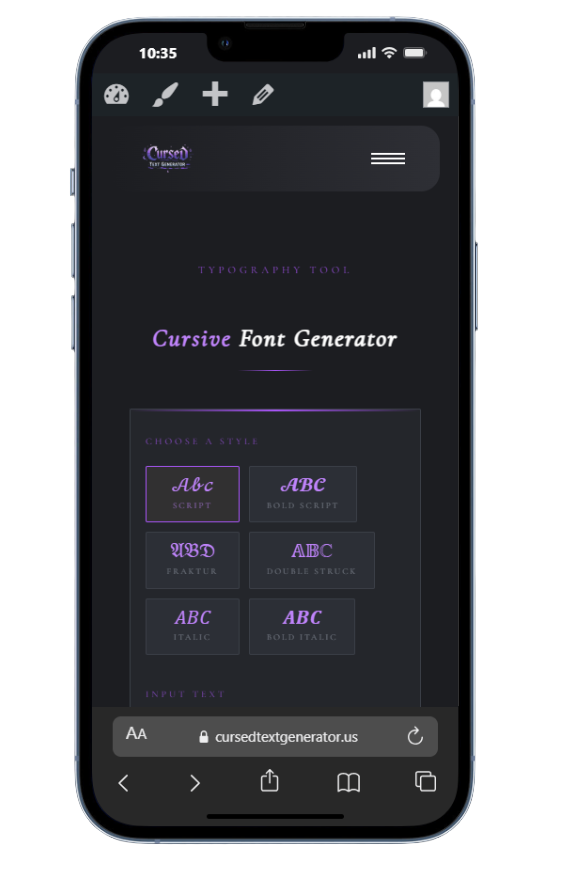
Most tools offer plain cursive and bold cursive. That’s usually it. Plain cursive has thinner strokes. It looks soft and a bit delicate. Good for bios, personal captions, anything where you want a gentle handwritten feel. Not great if it needs to stand out on a busy background. Also you can generator creepy text using our tool cursed text generator.
Bold cursive is thicker and heavier. Read from further away. Better for anything printed, anything going into a design, or anywhere the text needs to compete visually with other elements.
Neither one is better overall. It depends on where the text is going. Most generators show you both outputs at the same time so you can just look at them side by side and pick.
What Languages Work With It?
Latin-script languages work fine. English, Spanish, French, German, Portuguese, Dutch, Italian if the language uses the standard Latin alphabet you’re used to, the generator handles it.
Languages like Mandarin, Japanese, Arabic, or Hindi don’t really work with this type of tool. And it’s not a technical limitation that someone just hasn’t fixed yet it’s structural.
Cursive in Latin script works by connecting letters to each other. The style is about what happens between characters. In Mandarin or Japanese, the complexity is inside each individual character. The strokes within a single symbol are what matter, not how one symbol connects to the next. So the whole logic of cursive doesn’t carry over. There’s no Unicode equivalent of “cursive Mandarin” in the way there is for Latin characters.
If you’re working in one of those languages, a different kind of styling tool would be more relevant.
What Do People Actually Use Cursive Text For
More places than you’d guess.
Social media bios are the obvious one. A cursive bio stands out on Instagram and TikTok because almost nobody else has one. It takes thirty seconds to set up and it makes a profile look more put-together without much effort.
Usernames are another big one. Gaming platforms, Discord servers, forums — a cursive display name is distinctive. You’re easier to spot and harder to impersonate.
Captions people drop a single cursive word or phrase into an otherwise normal caption to draw attention to it. Works well for quotes, names, or a punchline you want to land harder.
Printed stuff birthday cards, wedding invites, party flyers. Generate the cursive version, paste it into Canva or Word, print. Quicker than hunting for a font that looks right.
Logos and small business graphics not a substitute for proper design work, but for quick social posts, a header graphic, or a simple logo mockup, cursive text from a generator does the job fine.
So How Does the Generator Actually Do This
Most people don’t think about this and that’s fine. But if you’re curious here’s what’s actually happening.
Your keyboard produces basic Latin characters. A through Z, numbers, punctuation. Standard stuff. Unicode, though, is a much bigger system. It has over 140,000 characters covering dozens of writing systems, symbols, and importantly characters that look like styled versions of the regular Latin letters you already know.
When the generator runs, it takes each letter you type and swaps it for a Unicode character that looks like the cursive version of that letter. Your “a” becomes a cursive-looking “a.” Your “b” becomes a cursive-looking “b.” All the way through your input.
These swapped characters are actual characters, not formatting applied on top of regular text. So they don’t depend on any font support to display correctly. Whatever platform you paste them into, they look the same. That’s the whole mechanism. Simple once you see it.
A Couple Things Worth Knowing
Not every platform handles Unicode perfectly. Most do, but some older apps or niche platforms will show your cursive text as little boxes or question marks instead of actual characters. Before you set something live, paste it into that platform first and check. Takes ten seconds and saves you from looking like your bio is broken.
Screen readers the tools people with visual impairments use to hear web content read aloud can have trouble with Unicode styled text. They sometimes read the character’s technical name instead of the letter it represents. So your cursive “a” might get read as something that sounds nothing like “a.” If the content you’re creating needs to be accessible to everyone, plain standard text is still the safer choice.
One thing that works well mixing cursive with regular text. You don’t have to make the whole thing cursive. One word or phrase in cursive in the middle of normal text draws the eye right to it. People do this a lot in captions to highlight something specific without making the whole caption hard to read.
Other Generators You Might Want
While you’re on the site using a cursive generator, most of these tools have other converters sitting right there too. Bold text, small text, wide text, fancy text with dozens of style variations, zalgo or glitch text, calligraphy-style text usually all available from the same page or nearby.
If you’ve never tried the fancy text generator that shows you fifty styles at once, that one’s worth a look. You type once and compare a whole list of options. Good way to find something you wouldn’t have thought to search for specifically.
Conclusion:
Cursive text generators are one of those things that feel almost too easy once you try them. Type something, copy the cursive version, paste it where you need it. Two minutes from start to finish, and the result looks like you put in actual effort. Which, technically, you didn’t. But nobody needs to know that.
