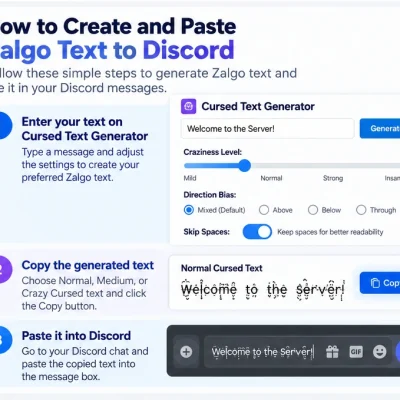
Have you ever copied a message, username, or social media caption only to discover that the letters look distorted or covered with strange symbols? If so, you probably want to remove cursed text and restore the original words without manually rewriting everything.
The good news is that most cursed text can be cleaned using a text remover or an UnZalgo tool. These tools help remove unwanted marks and make distorted writing readable again.
However, not every type of glitchy text works the same way. Some styles contain ordinary letters surrounded by extra marks, while others use entirely different Unicode characters.
In this guide, you’ll learn what cursed text is, how to convert it into normal text, which methods work best, and how to avoid losing important characters during cleanup. Read More
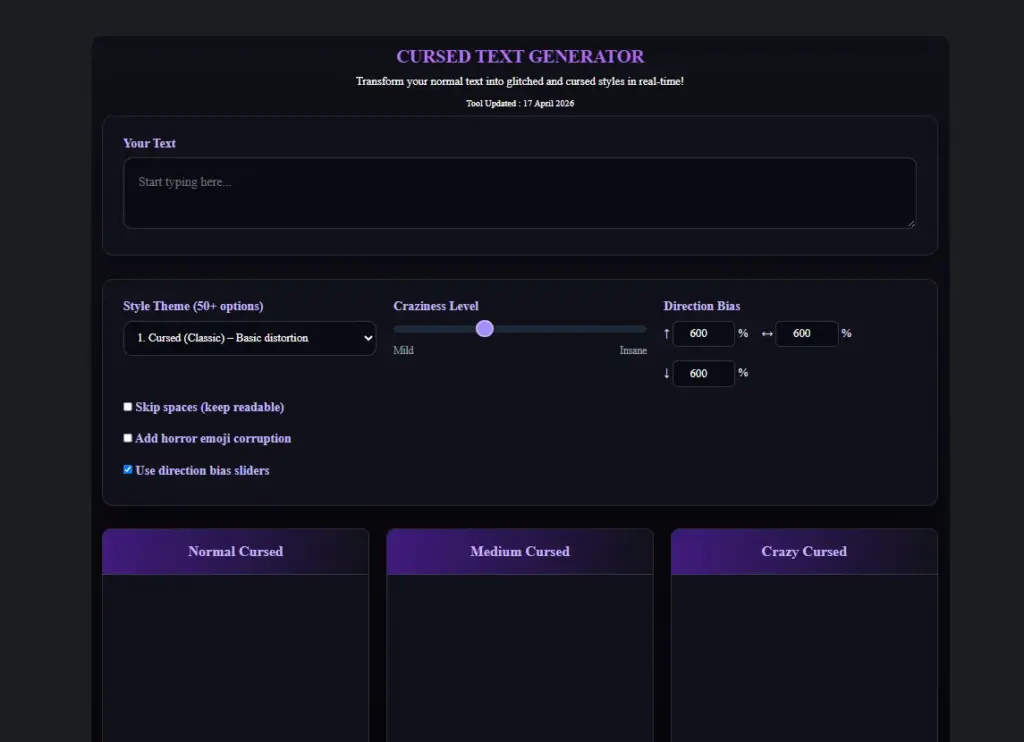
Table of Contents
What Is Cursed Text?
Cursed text is a form of decorative writing that makes ordinary letters appear distorted, corrupted, or unusually styled. It is especially popular in memes, gaming usernames, social media posts, and creative online conversations.
One of the most recognizable forms is called Zalgo text.
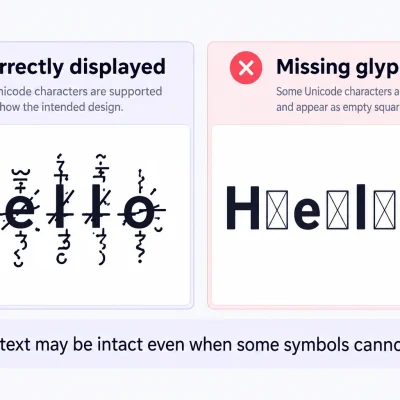
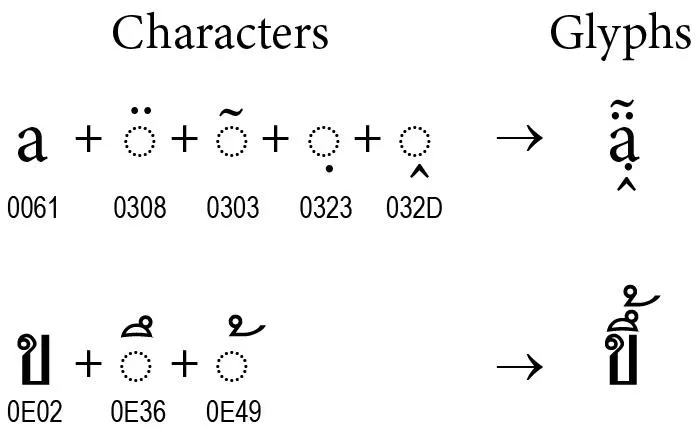
Zalgo text uses special Unicode combining marks that appear above, below, or through regular letters. When several of these marks are added to the same character, the writing begins to look messy or glitchy.
Both examples contain the same underlying letters, but the second includes additional visual marks.
According to the Unicode Standard, combining marks are characters that attach to other characters to modify their appearance.
This is why some cursed text remains distorted even after you paste it into another application. The marks are part of the text itself, not simply a font effect.
How to Remove Cursed Text Online
The easiest way to remove cursed text is by using an online cursed text remover.
You don’t need advanced technical knowledge or special software. The process generally involves copying your text, cleaning it, and pasting the readable version wherever you need it.
Step 1: Copy the Cursed Text
First, locate the distorted text you want to fix.
It might appear in an Instagram comment, YouTube description, Discord message, gaming username, or document.
Select the complete text and copy it.
Make sure you include all the characters, especially if the writing extends above or below the usual text line.
Step 2: Open a Cursed Text Remover
Next, open an online tool designed to remove Zalgo marks or clean distorted Unicode text.
Look for a tool that specifically mentions cursed text removal, Zalgo cleanup, or UnZalgo conversion.
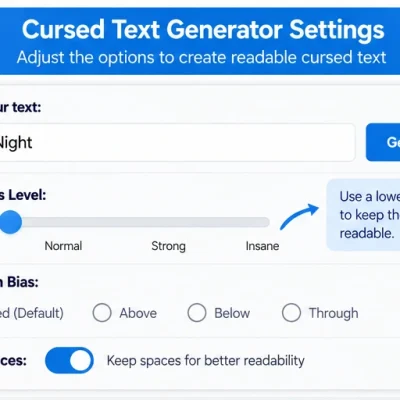
You can also explore Cursed Text Generator to understand how different cursed text styles are created.
If you’re using a dedicated remover, check that it supports the particular effect in your copied text.
Step 3: Paste Your Text
Paste the copied writing into the remover’s input field.
Some tools display the cleaned result immediately, while others require you to select a cleaning option.
If the service offers different cleanup settings, choose the one intended for removing combining marks.
Step 4: Convert Cursed Text to Normal
Run the cleaning process.
A compatible remover will attempt to strip away the extra glitch marks while keeping the original letters.
For example:
Before: S̷u̸b̵s̶c̷r̸i̵b̶e̷
After: Subscribe
The result should be easier to read, copy, and edit.
Step 5: Copy and Review the Result
Once the text is cleaned, copy it into your preferred application.
Before publishing, check the spelling, punctuation, numbers, and special characters.
This final review matters because certain cleanup methods may remove legitimate accents or other meaningful Unicode marks.
How to Convert Cursed Text to Normal Without a Tool
Sometimes you may prefer to clean glitchy text manually, especially when you’re dealing with a short message.
There are a few practical options.
1. Retype the Original Words
If the message contains only a few words, manually rewriting them may be the simplest solution.
For example, a heavily distorted version of “Good Morning” can often be recognized even when several marks surround each letter.
Read the underlying characters carefully and type the message again.
This approach is useful for short usernames, captions, and comments, although it becomes inconvenient for longer paragraphs.
2. Use a Plain-Text Editor for Inspection
Copy the distorted content into a simple text editor.
This won’t automatically remove Unicode combining marks, but it can help you inspect the text without additional rich-text formatting.
If the text remains distorted, you’ll need to remove the extra marks separately or use a dedicated cleaner.
3. Use Unicode Text Normalization
Some text conversion tools offer Unicode normalization.
Normalization helps standardize certain Unicode character representations. Compatibility normalization can also convert some decorative characters into more ordinary equivalents.
However, normalization alone doesn’t necessarily remove Zalgo marks.
For heavily distorted text, a dedicated combining-mark remover is usually the more appropriate option.
Why Does Cursed Text Look Glitchy?
Cursed text gets its unusual appearance from the way Unicode characters can interact with one another.
Most people recognize letters as individual characters. However, Unicode also supports marks that attach to existing letters.
These marks can appear above, below, or across a character.
When several marks are stacked together, the result may look like damaged or corrupted writing.
The effect becomes particularly noticeable when text is copied between different websites, browsers, and messaging applications.
Depending on the font and rendering system, the same cursed text may appear slightly different across platforms.
That doesn’t necessarily mean the message is broken. It often means the application is displaying a complicated combination of Unicode characters.
Different Types of Cursed and Glitch Text
Before choosing a cleaning method, it helps to understand what kind of text you’re dealing with.
| Text Type | Example | Best Cleaning Method |
| Zalgo Text | H̷e̸l̵l̷o̶ | UnZalgo remover |
| Fullwidth Text | Hello | Unicode compatibility converter |
| Bold Unicode Text | 𝗛𝗲𝗹𝗹𝗼 | Unicode compatibility converter |
| Circled Text | Ⓗⓔⓛⓛⓞ | Normal text converter |
| Symbol-Based Text | H3ll0 | Manual correction |
The most important difference is whether the original letters are still present.
With Zalgo text, ordinary letters usually remain underneath the extra marks.
Other decorative styles may use entirely different characters, requiring a different conversion method.
A basic Zalgo cleaner cannot be expected to reverse every decorative font or symbol substitution.
Why Should You Remove Glitch Text?
Although cursed text can be entertaining, there are situations where ordinary writing is more useful.
Better Readability
Heavily distorted characters can make simple messages difficult to understand.
If you’re publishing instructions, announcements, or important information, clean writing helps readers understand your message without unnecessary visual distractions.
Cleaner Social Media Content
Content creators frequently reuse captions, comments, and descriptions across multiple platforms.
Text that looks appealing in one application might display awkwardly somewhere else.
Removing unwanted glitch marks can make your content easier to edit and maintain.
Easier Blog Editing
Bloggers may encounter decorative Unicode text in copied comments, quotes, or user-submitted content.
When preparing an article for WordPress, cleaning unnecessary characters helps maintain a consistent appearance.
However, removing Unicode marks won’t fix every formatting issue. HTML formatting, spacing problems, and character-encoding errors may require separate solutions.
Improved Text Handling
Distorted characters can complicate copying, searching, and matching text.
For example, a username containing unusual Unicode characters might not match a search for its simplified spelling.
A cleaner version may be easier to read, although it won’t necessarily function as the original account identifier.
Common Problems When Removing Cursed Text
Even after using a text remover, you might notice that the result isn’t completely normal.
Here are the most common reasons.
Some Symbols Remain
Certain decorative characters are not combining marks.
If a remover is specifically designed for Zalgo text, it may remove stacked marks but leave other symbols unchanged.
Try a converter that supports additional Unicode character styles.
Letters Disappear
Some aggressive cleaning methods remove more characters than necessary.
This is especially risky with accented letters and languages that depend on combining marks.
Always compare the cleaned output with the original message.
The Text Looks Different on Another Device
Fonts and rendering systems can display Unicode characters differently.
A message may appear relatively normal on one device but unusually distorted on another.
If you need consistent presentation, use ordinary text characters whenever possible.
Copying Into Notepad Doesn’t Fix the Problem
Plain-text editors generally preserve Unicode characters.
As a result, pasting Zalgo text into Notepad may remove rich-text styling while leaving the glitch effect intact.
For actual character cleanup, use an appropriate remover.
How to Remove Cursed Text Without Losing Important Characters
Cleaning distorted writing should improve readability without unnecessarily changing the original message.
Start by saving the original text, particularly if you’re working with important documents, usernames, or multilingual content.
Next, test the cleaning method on a short section before processing the entire passage.
Pay attention to words containing accents. For example, the word “café” might become “cafe” if a tool removes all combining marks after decomposing the text.
That may be acceptable in some situations but inappropriate when exact spelling matters.
Also check emoji sequences, punctuation, and special symbols.
A good cursed text remover should target unwanted marks rather than delete every unfamiliar character.
For sensitive information, consider the privacy implications before pasting content into an unfamiliar online service.
Cursed Text Remover vs. Cursed Text Generator
A cursed text remover and a cursed text generator perform opposite tasks.
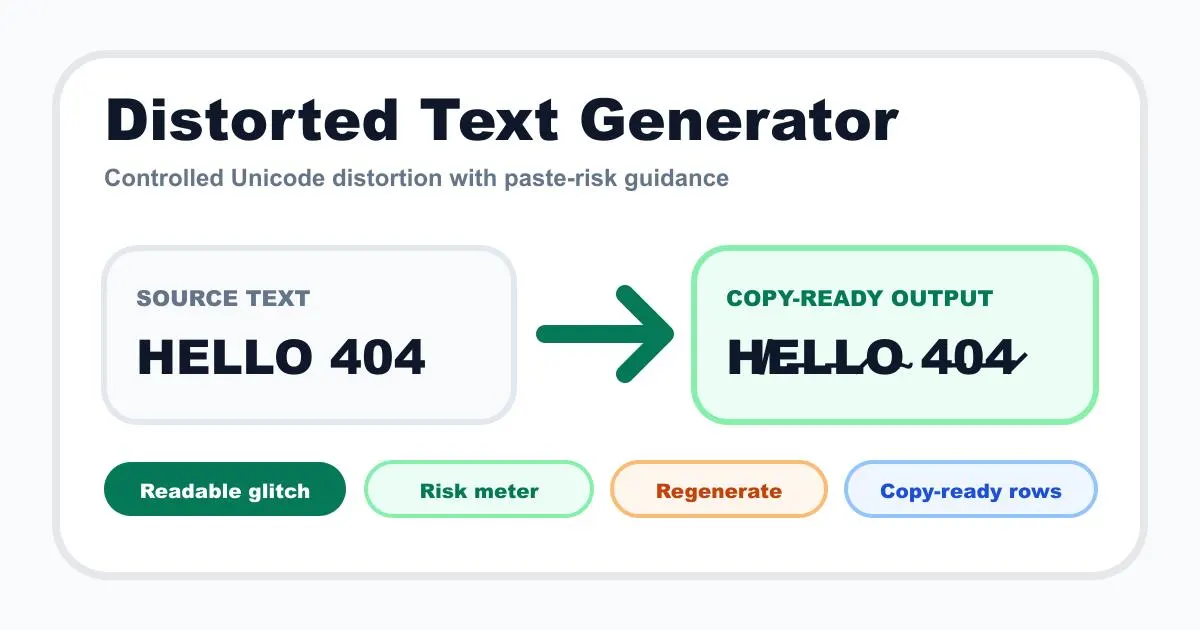
A cursed text generator transforms ordinary writing into unusual decorative styles, often by adding Unicode marks.
A cursed text remover attempts to reverse that process by cleaning unwanted characters.
For example, someone creating a horror-themed video might generate glitchy writing for a title or thumbnail.
Later, they may want to reuse the same words in an ordinary caption or blog post.
A remover becomes useful when the original text is difficult to recover manually.
If you enjoy experimenting with decorative writing, visit Cursed Text Generator to explore different text effects.
For cleaning, choose a tool specifically designed to reverse the style you’re using.
Tips for Using Normal Text in Content Creation
Stylized text can work well for entertainment, but ordinary writing is often the better choice for informational content.
For YouTube videos, keep important titles and descriptions easy to understand. Decorative characters may be suitable for occasional creative effects, but they shouldn’t make the main message difficult to read.
For blog posts, prioritize clear headings and readable paragraphs.
If you’re writing social media captions, consider using cursed text only for a short phrase rather than an entire paragraph.
Gaming usernames and creative profile descriptions offer more freedom, but remember that some decorative characters may be difficult for other users to type or search.
The goal is to balance personality with readability.
Final Thoughts
Learning how to remove cursed text makes it easier to recover readable messages, clean social media captions, and fix distorted writing.
For most Zalgo-style text, an online remover is the simplest solution. If the message uses decorative Unicode letters instead of combining marks, a different converter may be necessary.
Whatever method you choose, review the result before publishing it, especially when the original contains accented letters, emoji, or other special characters.
And if you want to experiment with glitchy writing again, explore Cursed Text Generator to create your own decorative text styles.