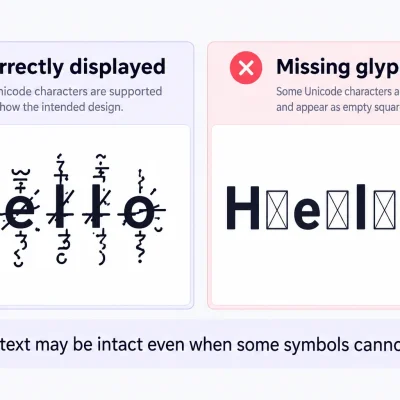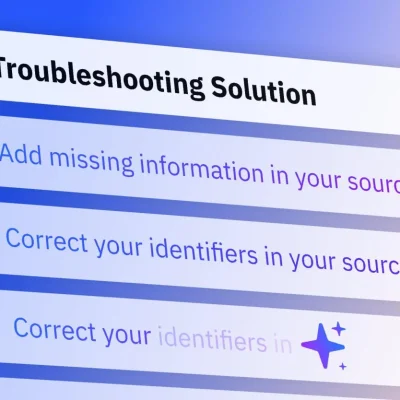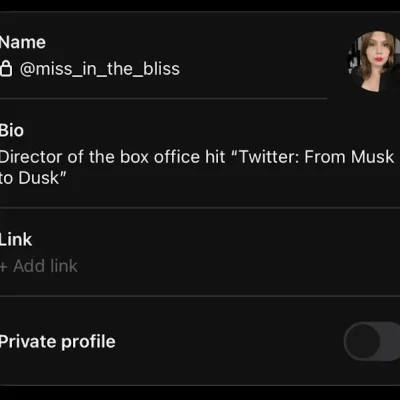
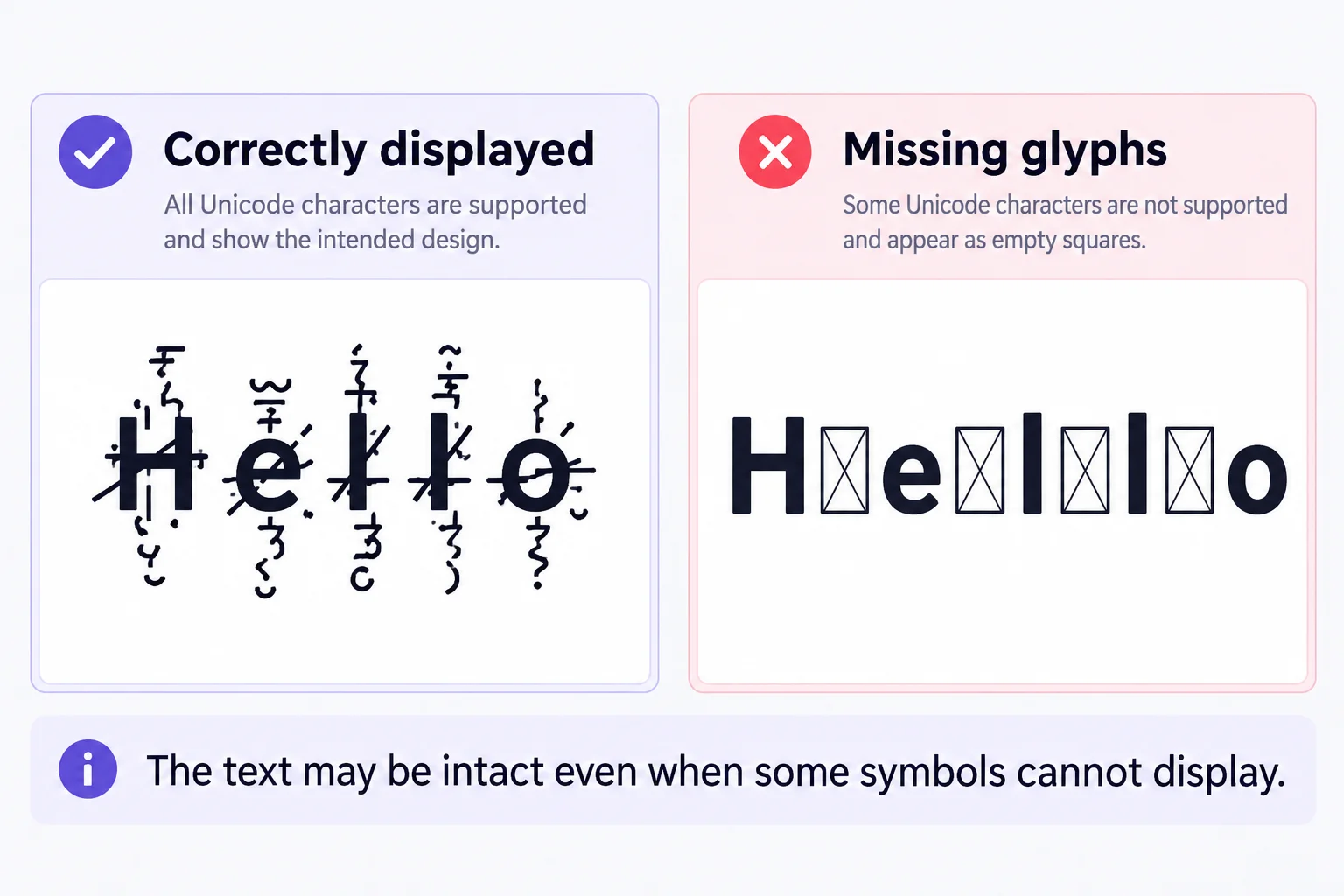
Cursed text showing boxes instead of distorted letters? Those little empty squares usually mean your device, font, or application cannot display one or more Unicode characters correctly. The text may still be intact, but the software doesn’t know how to draw it. You might notice the problem after copying Zalgo text into a social media bio, opening a message on your phone, or switching between browsers. Sometimes only a few symbols become squares.
Other times, an entire word looks broken. The good news is that you can often identify the cause with a few simple tests. This guide explains why cursed text turns into boxes, how to fix common display problems, and what to do when an application doesn’t support your chosen characters.
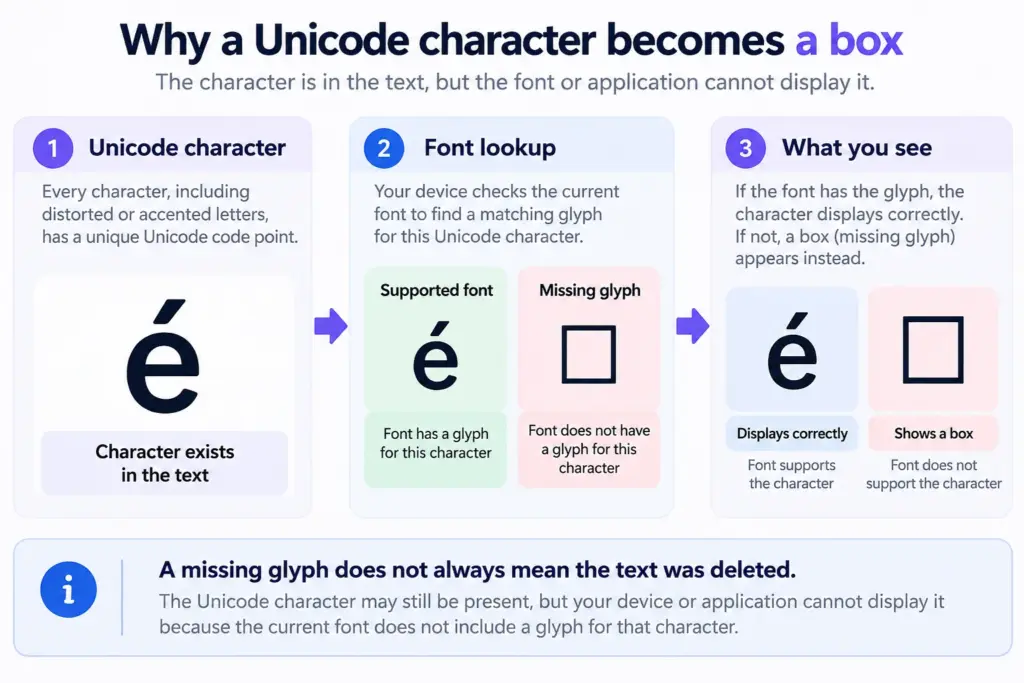
Table of Contents
Why Is Cursed Text Showing Boxes Instead of Letters?
Cursed text displays as boxes when the software rendering it cannot find or correctly display the characters it contains. The most common cause is missing font support, although application restrictions, unusual character combinations, and text-encoding errors can produce similar symptoms.
Most cursed or Zalgo text is created using Unicode combining marks. These are special characters that attach to ordinary letters.
For example:
Normal text: Hello
Cursed text: H̷e̶l̴l̷o̶
The base letters remain, while extra marks create the distorted appearance.
A computer needs a suitable font and rendering system to display those characters. If it cannot find a supported representation, it may show an empty square, a question mark inside a box, or another placeholder.
These placeholders are commonly called missing glyphs, sometimes nicknamed tofu because of their square appearance.
The Unicode Consortium identifies missing font support as a common reason Unicode characters display as boxes.
However, a missing glyph is different from an intentionally distorted letter. Recognizing that difference helps you choose the right solution.
Quick Diagnosis: What Do the Boxes Mean?
Not every unusual square indicates the same problem.
| What You See | Likely Explanation | What to Try |
| Empty square □ | Missing character glyph | Change font or device |
| Box containing a question mark | Unsupported character | Try a simpler symbol |
| Replacement symbol � | Text decoding or replacement issue | Return to original text |
| Marks overlapping letters | Heavy Zalgo distortion | Reduce intensity |
| Text works in one app but not another | Different font or rendering support | Test another destination |
| Symbols disappear entirely | Text filtering or processing | Try a lighter style |
These are diagnostic clues, not absolute rules. The same square-shaped symbol can represent different problems depending on the application.
For example, some generators intentionally include block characters such as ░ or ▓. Those are real Unicode symbols, not necessarily display errors.
If you aren’t sure which problem you’re experiencing, begin with a simple copy-and-paste test.
How to Fix Cursed Text Showing Boxes
1. Check Whether the Font Supports the Characters
A font doesn’t necessarily include a visible design for every Unicode character. Your device might recognize that a character exists but lack the glyph needed to display it. For example, a particular symbol could appear correctly in one font but become an empty square when another font is used.
How to fix it:
Copy the affected text into an application where you can change the font, such as a document editor. Try a widely supported font and compare the appearance. If your system offers other Unicode-capable fonts, test those as well. If a different font displays the symbol correctly, you’ve probably found a font coverage issue. Avoid downloading unfamiliar font packages just to fix decorative text. Use trusted operating-system or software sources if additional fonts are genuinely necessary. Also remember that many social platforms control their own fonts. You may not be able to change the font used in a comment, username, or message.
2. Test the Same Text in Another Application
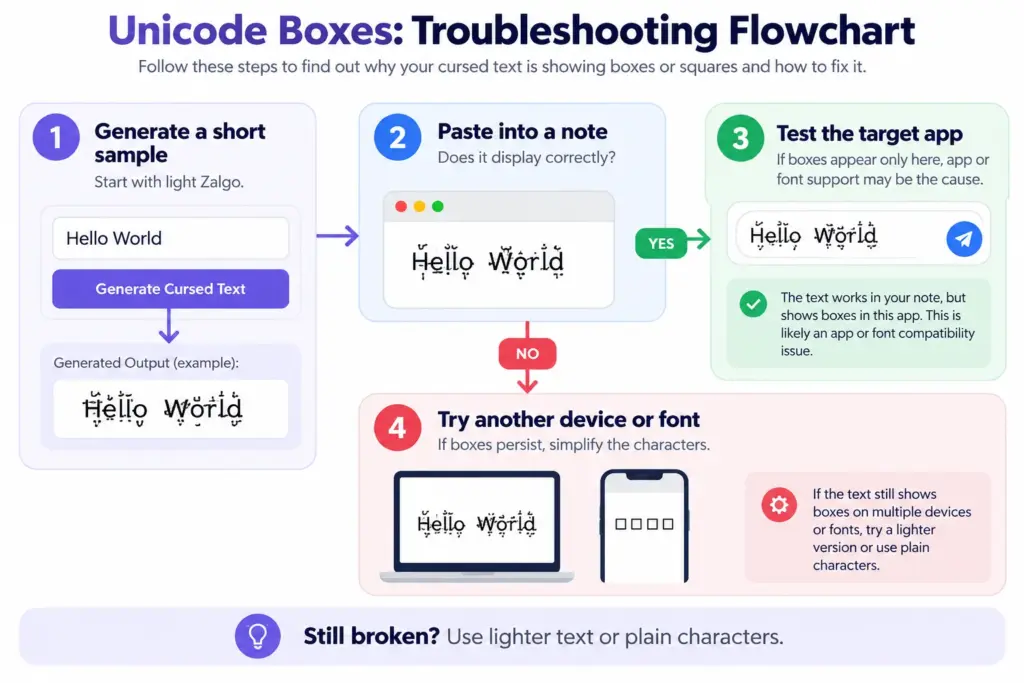
Sometimes the text itself is fine, but the destination app handles it differently. A browser, messaging app, document editor, and mobile operating system can use different fonts and rendering systems. That’s why cursed text might look perfect in a generator but show Unicode boxes in a profile description.
How to fix it:
Generate a short cursed phrase and copy it into a simple note. If it displays correctly, paste the same phrase into the application where the problem occurs. Compare the results without modifying the text between tests.
If boxes appear only in the second application, the problem is likely related to that application’s display support or input handling. Try a less distorted version before assuming the generator is broken. For more background, read our guide explaining why cursed text looks broken.
3. Reduce the Amount of Zalgo Distortion
Not every cursed text problem involves a missing font Heavy Zalgo text can create visual problems because multiple marks accumulate above, below, and through each letter.These marks may overlap nearby lines, disappear behind interface boundaries, or become difficult to distinguish. Although excessive stacking doesn’t automatically create missing-glyph squares, reducing it can make the text easier for some applications to display.
How to fix it:
Open the Cursed Text Generator and enter your original phrase. Start with the Normal Cursed output rather than Medium or Crazy Cursed. You can also adjust the Craziness Level and direction settings to control how strongly the letters are distorted. For more precise adjustments, visit the Zalgo Text Generator. Try its Mini preset, then adjust the intensity and upper or lower marks if necessary. A lightly distorted phrase is often more suitable for comments, usernames, and short messages.
4. Check for Copy-and-Paste Problems
If your text looks correct before copying but turns into squares afterward, find out whether the characters changed or simply display differently. These are separate problems. A missing glyph means the character may still exist in the copied text, even though it can’t be displayed properly. Text filtering or conversion, on the other hand, may remove or replace the character.
How to fix it:
Copy a short sample directly from the generator. Paste it into a Unicode-capable text editor or note, then compare it with the original. If it still looks correct, try pasting it into your destination. If the original symbols disappear or become ordinary letters in the destination, the application may be processing the input. If actual squares appear but the text displays correctly elsewhere, font support is a more likely explanation. Don’t repeatedly copy the same text hoping for a different result. Identify where the appearance first changes.
5. Update Your Browser or Device Software
Older browsers, operating systems, and applications may have incomplete support for certain characters or font features. Software updates sometimes improve character rendering or expand available font coverage. However, updating doesn’t guarantee that every unusual Unicode symbol or heavily stacked combination will work.
How to fix it:
Check whether your browser and operating system have available updates. After updating, reopen the affected app and test the same cursed phrase. If the problem occurs only in one mobile app, check whether that app has an update available. You can also try a different browser to determine whether the issue is specific to your current setup. For mobile-specific limitations, see Does Cursed Text Work on Mobile Devices?.
6. Look for Character Encoding Problems
Sometimes the problem isn’t the font at all. Instead of a normal letter or accent, you may see strange fragments such as Ã, repeated question marks, or the replacement character �. These can indicate that text was decoded incorrectly or that some original characters were replaced. Character encoding determines how stored information is interpreted as text. If software uses the wrong encoding, readable characters can become corrupted.
The W3C character encoding guide explains why proper text encoding is necessary for reliable display.
How to fix it:
Go back to the original text rather than copying the corrupted version again. If you’re working with a document, check whether the application offers an appropriate text encoding option.
UTF-8 is generally a suitable choice when creating and saving modern text files.
If you’re editing a website, ensure the publishing system handles Unicode correctly. You may need a website administrator to investigate the issue.
Changing a font cannot reliably repair text whose original character data has already been replaced.
7. Use Simpler Characters for Restricted Platforms
Some websites and apps limit which characters users can enter. This is particularly common in fields with strict input rules, such as usernames, account identifiers, and certain profile settings.
A heavily decorated word may also contain many more underlying characters than it appears to have. For example, a five-letter word with multiple combining marks attached to each letter can exceed a field’s permitted character count.
How to fix it:
First, test the field with ordinary text. If that works, add a small amount of decoration and try again. If the app rejects your input, shorten the phrase or remove unusual symbols. You can also experiment with alternative styles from the Glitch Text Generator. Be aware that alternative symbols can also be unsupported. There is no single decorative text style that works in every username field.
Why Does Cursed Text Show Squares on Android and iPhone?
Cursed text can display differently on Android and iPhone because the devices may use different fonts, text-rendering systems, and application versions. Even two phones running the same operating system can have different results if their software and font resources differ. For instance, a message containing several stacked Unicode marks might display correctly on your phone but appear clipped or incomplete on someone else’s.
If ordinary English text works but unusual symbols don’t, try using fewer decorative characters. When the problem affects only one messaging app, compare the same text in a note or browser. If a specific character consistently becomes a square, avoid that character in content intended for broad mobile compatibility. There is no need to reset your phone or reinstall everything just because a decorative text symbol isn’t supported.
Can You Fix Cursed Text Squares on Instagram, Discord, or WhatsApp?
Sometimes, but the fix depends on whether the platform is rejecting characters or merely displaying them differently. Social media apps commonly use their own text interfaces. You usually cannot choose the exact font or rendering behavior applied to every field.
A phrase may display normally in a message while behaving differently in a username, bio, or search field. Start by checking whether the text is accepted at all. if the app accepts it but displays boxes, experiment with simpler characters. If it rejects the text, review the field’s allowed characters and length limits. Avoid assuming that success in one app guarantees the same result in another. Test the actual destination before publishing.
What If the Boxes Are Already Part of the Copied Text?
An important distinction: sometimes a square isn’t a missing character placeholder. It’s the actual symbol that was copied. Characters such as □, ■, ░, and ▓ are valid Unicode symbols.
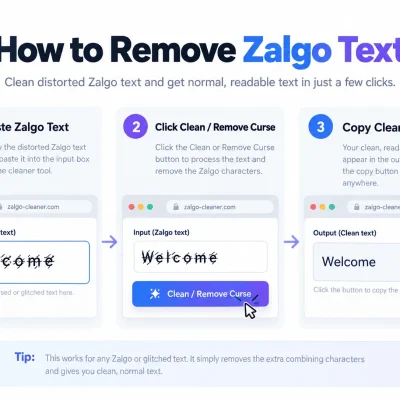
If the original source contains one of these characters intentionally, changing fonts won’t necessarily remove it. You need to edit or regenerate the text instead. If the unwanted marks are Zalgo combining characters, the Cursed Text Generator includes an UnZalgo Cleaner.
Paste the distorted text into the cleaner and use the Clean / Remove Curse option. This can help remove decorative combining marks while preserving ordinary letters that are still present. However, it cannot reliably reconstruct characters that another application has permanently replaced or deleted.
What to Do When Unicode Boxes Cannot Be Fixed
Some compatibility issues are outside your control. If a social media app doesn’t support a character, you may have no practical way to force it to display that character correctly. For decorative content, you have two reasonable alternatives. First, choose simpler Unicode characters with wider support. Mild glitch effects can still look distinctive without overwhelming the text.
Second, use an image when preserving the exact appearance is more important than keeping the content editable. CursedTextGenerator.us offers a Download Crazy as PNG option for its heavily distorted output. This is useful for graphics, horror-themed designs, and visual posts, but an image cannot replace selectable text in every situation Where accessibility matters, include an ordinary text version or suitable alternative text. For instructions, names people need to search, contact information, and important messages, plain text is still the safest choice.
How to Prevent Cursed Text Display Problems
You can’t control every font or application your audience uses, but a few practical habits reduce compatibility problems.
- Start with mild distortion and increase it only when needed.
- Test copied text in the application where you intend to use it.
- Check important posts on both desktop and mobile.
- Keep the original wording somewhere safe.
- Avoid unusual symbols in essential instructions or searchable usernames.
- Use graphics when the exact visual design must remain unchanged.
If you’re frequently sharing decorative text, consider keeping one lightly distorted version for messages and a heavier version for artwork.
That way, you don’t have to sacrifice readability just to preserve a glitch effect.
Frequently Asked Questions
Why is my cursed text showing boxes?
The most common cause is missing font support. Your device or application may recognize the Unicode character but lack the glyph needed to display it. Try another font, browser, or device to narrow down the problem.
What are the small squares in Unicode text called?
They’re often called missing glyphs or tofu characters. They indicate that the text-rendering system couldn’t display a particular character. However, some square symbols are legitimate characters rather than errors.
How do I fix Unicode boxes on my phone?
Update the relevant app, test the same text in another application, and try a less complicated version. If the problem involves a specific unsupported character, replacing that character may be necessary.
Why does cursed text work on one device but not another?
Different devices can have different fonts, software versions, and rendering behavior. Unicode defines the characters, but it doesn’t guarantee an identical visual appearance across every device.
Can changing fonts fix cursed text squares?
Yes, if the problem is missing glyph coverage. Choosing a font that supports the affected characters can resolve some boxes. It won’t fix text that has been deleted, incorrectly decoded, or rejected by an application.
Why do I see question marks instead of cursed letters?
Question marks may indicate unsupported characters, text replacement, or encoding problems. Check the original text in another application to determine whether the characters still exist.
Is cursed text showing squares harmful to my device?
No. Ordinary Unicode display problems don’t mean your device has been infected or damaged. Very heavy combinations may cause readability or performance issues in some applications, but the text itself isn’t executable malware.
Final Thoughts
Cursed text showing boxes is usually a compatibility problem rather than something wrong with your keyboard or the original message. Start by testing the text in another application. If the squares disappear, investigate the destination’s font and rendering support. If the text is heavily distorted, reduce the number of combining marks. If the characters have been replaced, return to the original source. For everyday messages and social profiles, lighter distortion is generally easier to read and share. When you’re ready to try again, use the Cursed Text Generator to experiment with different intensity levels and create a version that displays more reliably.