Want to make your TikTok profile look mysterious, spooky, or different from the usual social media aesthetic? Learning how to use cursed text on TikTok is an easy way to create glitchy bios, creepy display names, unusual captions, and entertaining comments without downloading special fonts or editing applications. Cursed text transforms ordinary words into distorted writing using special Unicode characters. You can create these effects with an online generator, copy your favorite version, and paste it into supported TikTok text fields.
From horror-themed videos to gaming content and digital memes, cursed writing can add personality to your online presence. However, some TikTok fields have character restrictions, and excessive distortion can make text difficult to read. This guide explains how cursed text works, how to use it across TikTok, and how to avoid common formatting problems.
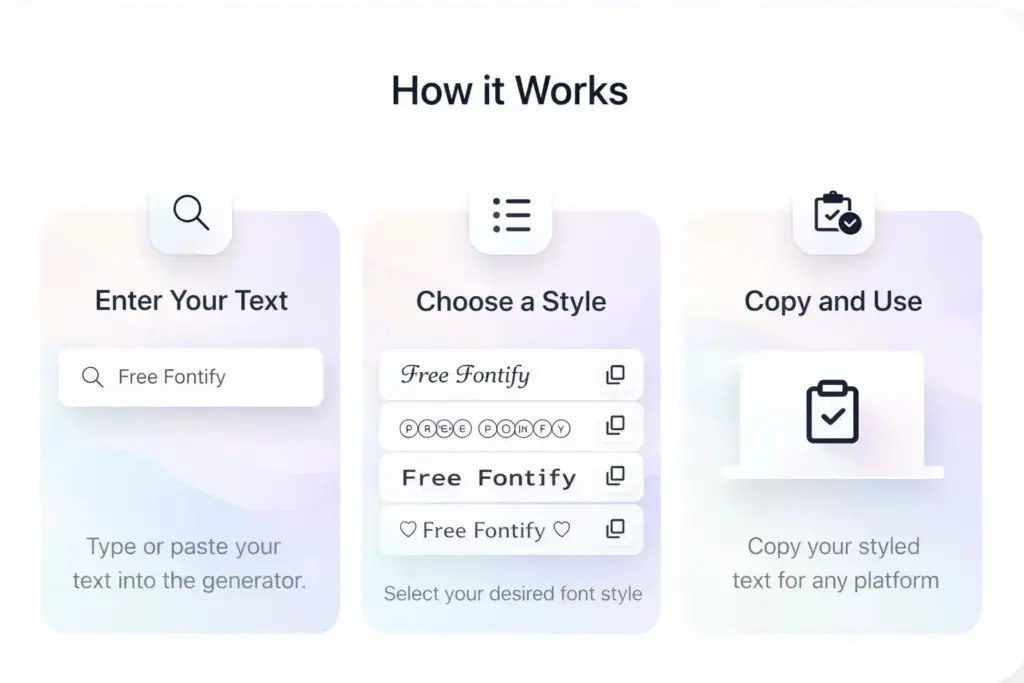
Table of Contents
What Is Cursed Text on TikTok?
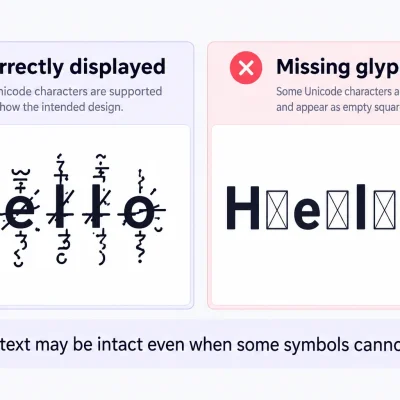
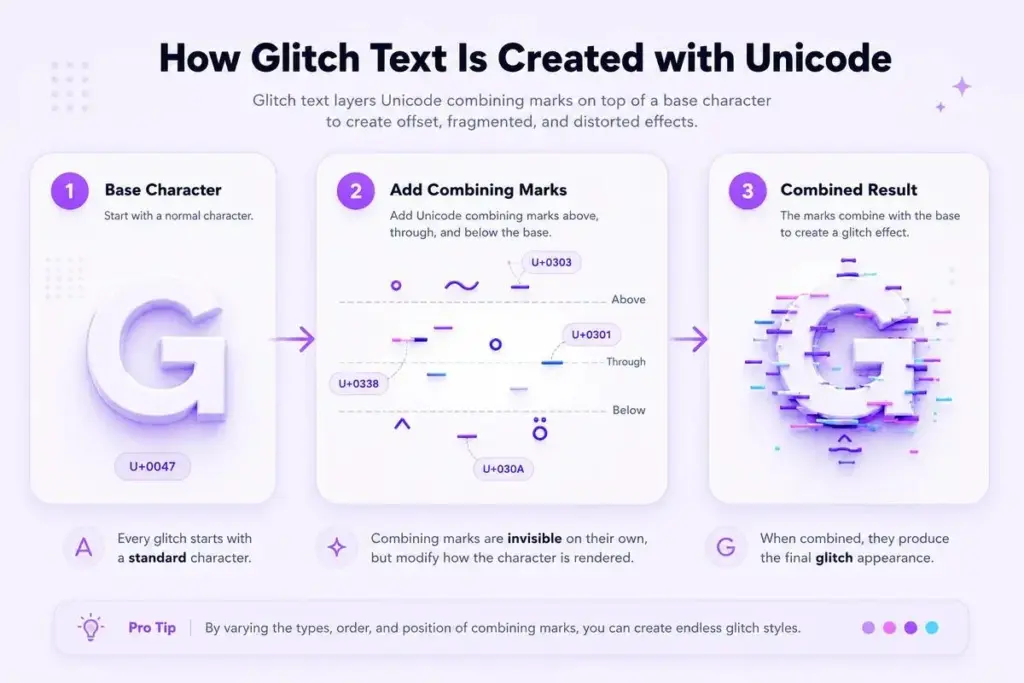
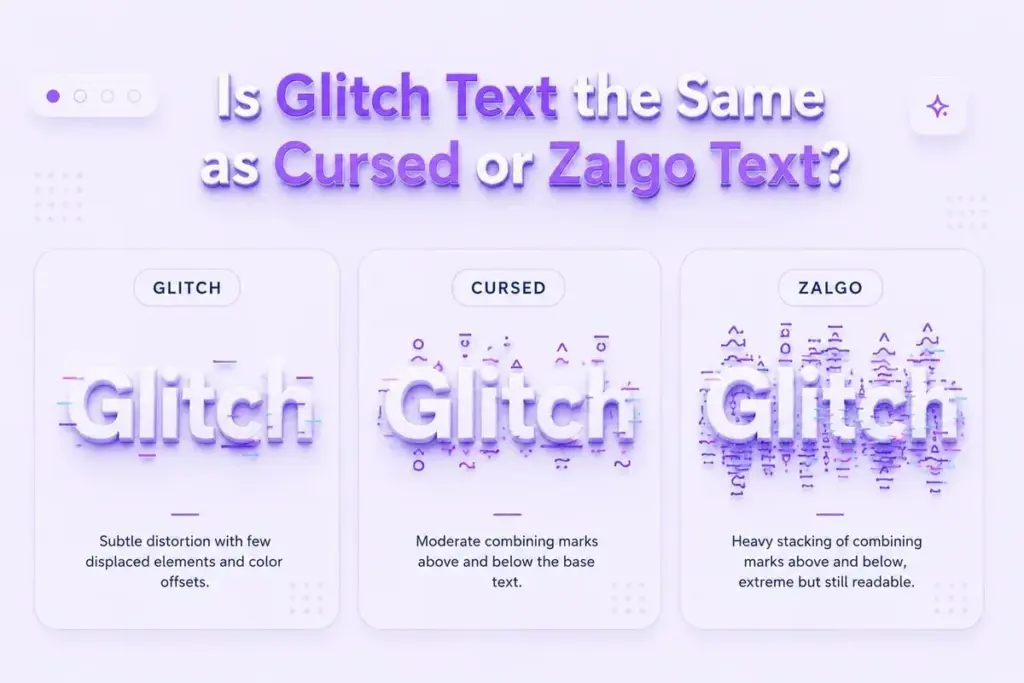
Cursed text is a decorative writing style that makes normal letters appear distorted, corrupted, or surrounded by strange marks. It is often associated with Zalgo text, which uses Unicode combining characters to create a glitch-like appearance.
For example, the ordinary phrase “Welcome to My World” can become “W̷e̸l̵c̶o̷m̸e̵ t̶o̷ M̸y̵ W̶o̷r̸l̵d̶.” Although the second version looks unusual, the original letters remain underneath the additional decorative marks.
This is why cursed text can often be copied from one application and pasted into another without installing a special font. TikTok users may experiment with this style in profile descriptions, nicknames, video captions, and comments. It is especially suitable for accounts featuring horror stories, supernatural content, gaming clips, digital artwork, and unusual memes. However, cursed text isn’t the same as TikTok’s built-in text formatting. The visual effect comes from Unicode characters rather than a downloadable font or special feature inside TikTok.
How to Use Cursed Text on TikTok: Step-by-Step Guide
Creating cursed text for TikTok is straightforward. The main process involves choosing a phrase, applying a decorative effect, and copying the result into the appropriate TikTok field.
Step 1: Open a Cursed Text Generator
Start by visiting Cursed Text Generator through your mobile or desktop browser.
A text generator allows you to transform ordinary words into decorative Unicode writing without manually adding complicated symbols. Before generating anything, think about where you want to use the text. A TikTok bio may benefit from a short mysterious phrase, while a video caption might use a dramatic sentence or glitch-inspired expression. Choosing the intended location first makes it easier to select an appropriate style.
Step 2: Enter Your Text
Type the words you want to transform.
For example, you might enter “Dark Soul,” “Glitch Mode,” “Midnight Vibes,” or “Something Is Watching.” Short phrases often work better because heavy decorative effects can make longer messages difficult to understand. If the generator offers different styles or customization settings, compare the available results before deciding which one suits your content.
Step 3: Copy Your Favorite Style
After generating your cursed text, choose a version that looks interesting without completely hiding the original words. Light distortion is often more appropriate for profile descriptions and nicknames. Heavier Zalgo effects may suit occasional horror captions or fictional messages. Copy your selected text and make sure the entire phrase is included.
Step 4: Paste the Text Into TikTok
Open TikTok and navigate to the field where you want to use the text. For example, you might open your profile settings to edit your bio or nickname. Alternatively, you can paste the result into a caption while preparing a video or into a comment field. After pasting, check how the text appears. If the characters overlap, become difficult to read, or aren’t accepted, try a shorter phrase or a lighter decorative style.
How to Add Cursed Text to Your TikTok Bio
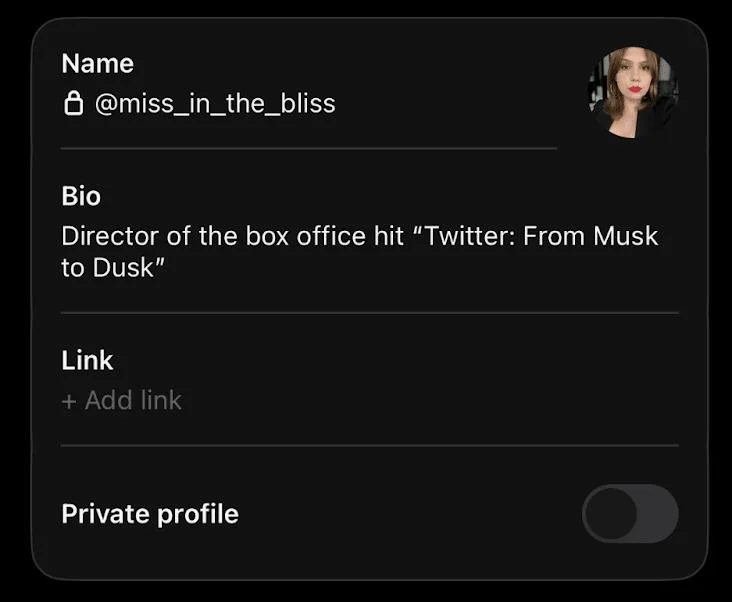
Your TikTok bio provides a short introduction to your personality, interests, or content.
Using cursed text in this area can help create a distinctive visual theme, particularly if your videos focus on gaming, horror stories, dark aesthetics, or experimental artwork. To add cursed writing, first create a short phrase using a compatible generator. Open TikTok, navigate to your profile, and select Edit Profile. Find the Bio field, paste the generated text, and save your changes. For example, you might use “L̷o̸s̵t̶ S̷o̸u̵l̶” or “M̷i̸d̵n̶i̷g̸h̵t̶ V̷i̸b̵e̶s̷.” A short phrase can create a noticeable effect without overwhelming the rest of your profile.
Keep in mind that TikTok bios have limited space. Decorative combining marks may consume additional underlying characters even when the visible phrase looks short. For accounts promoting a business or professional service, consider keeping essential information readable and using cursed text only for a brief creative element.
How to Create a Creepy TikTok Name
A creepy TikTok name can help establish a recognizable identity for a horror-themed, gaming, or entertainment account. However, TikTok distinguishes between your unique username and your nickname. Your username is the account identifier that appears with the @ symbol and forms part of your profile link. TikTok restricts usernames to letters, numbers, underscores, and periods, and periods cannot appear at the end. This means heavily decorated Zalgo text generally cannot be used as your actual @username.
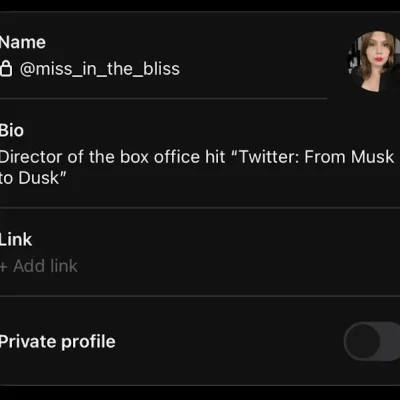
Your nickname, which appears as your account name in several areas of TikTok, offers different customization possibilities. To change it, open Edit Profile, select the Name field, and enter your preferred nickname. A name such as “G̷h̸o̵s̶t̷” may be suitable for experimentation if TikTok accepts the characters and the name fits its requirements.
TikTok’s documented nickname limit is 30 characters, and nicknames can be changed once every seven days. Heavy Zalgo marks can quickly consume that limit. For practical results, choose short names that remain recognizable, such as “DarkGhost,” “SilentShadow,” or “MidnightSoul,” before applying a subtle glitch effect.
How to Use Glitch Text in TikTok Captions
TikTok captions help viewers understand what a video is about. They can provide context, introduce a story, or reinforce the mood of the content. Cursed text can be useful when a video deliberately uses a corrupted digital aesthetic or supernatural theme. For example, a horror clip might feature the phrase “D̷o̸n̵’̶t̷ L̸o̵o̶k̷ B̸a̵c̶k̷.” A gaming video might use “G̷a̸m̵e̶ O̷v̸e̵r̶” to emphasize a dramatic ending.
To use this style, generate the text, copy it, and paste it into the caption field while preparing your video. Before publishing, read the complete caption as it appears in TikTok’s preview. Consider keeping the main description in ordinary text and applying the cursed effect only to a short phrase. This makes the caption easier to understand while preserving the intended visual style.
It also helps keep useful information, such as the video’s topic, creator credits, or important context, accessible to viewers.
How to Add Cursed Text to TikTok Comments
TikTok comments are another place where people experiment with decorative writing. Cursed text is sometimes used to create funny reactions, mysterious messages, or unusual responses to horror and gaming videos. For example, someone might comment “I̷’̸m̵ W̶a̷t̸c̵h̶i̷n̸g̵” beneath a fictional horror clip. To create a similar effect, generate the phrase, copy it, open the video’s comment section, and paste the text into the comment field. Review the message before posting because extremely heavy combining marks can make ordinary words difficult to recognize.
It’s also worth considering the community you’re participating in. A short glitched reaction might complement a horror-themed discussion, but repeatedly posting distorted messages can become distracting. Use decorative writing as an occasional creative effect rather than replacing normal communication in every interaction.
Best Cursed Text Ideas for TikTok Bios and Captions
Choosing the right words is an important part of creating effective cursed text. The best phrase generally reflects your video’s subject or your account’s visual identity. For mysterious profiles, phrases such as “H̷i̸d̵d̶e̷n̸ S̵o̶u̷l̸” and “D̷a̸r̵k̶ D̷r̸e̵a̶m̷s̸” can create a subtle supernatural atmosphere. For gaming accounts, “G̷l̸i̵t̶c̷h̸ M̵o̶d̷e̸” and “F̷i̸n̵a̶l̷ B̸o̵s̶s̷” are relevant to digital and gaming themes.
Horror creators may prefer phrases such as “D̷o̸n̵’̶t̷ T̸u̵r̶n̷ A̸r̵o̶u̷n̸d̵” or “S̷o̸m̵e̶t̷h̸i̵n̶g̷ I̸s̵ H̶e̷r̸e̵.” For a softer dark aesthetic, phrases such as “M̷o̸o̵n̶l̷i̸t̵ S̶o̷u̸l̵” and “S̷i̸l̵e̶n̷t̸ N̵i̶g̷h̸t̵” offer a different mood. These examples can be copied or used as inspiration for your own writing. The most effective choice is usually one that supports your content rather than relying entirely on visual distortion.
Different Types of Cursed Text for TikTok
Not every unusual text style uses the same technique. Understanding the differences can help you choose a style that works well across different TikTok fields.
Light Zalgo Text
Light Zalgo text uses relatively few decorative combining marks, keeping the original letters readable. This makes it useful for bios, nicknames, and short captions where visual appeal and clarity both matter.
Heavy Glitch Text
Heavy glitch text adds more marks, creating the appearance of distorted or corrupted writing. It can suit dramatic horror content, but excessive effects may overlap surrounding text or display differently across devices.
Gothic Unicode Text
Gothic writing often uses decorative Unicode letterforms rather than stacked combining marks. It can produce a dark, elegant appearance that works well for alternative fashion, artwork, and music-related profiles. Although gothic text and Zalgo text aren’t technically identical, users sometimes combine them to create distinctive online typography.
Why Is My Cursed Text Not Working on TikTok?
One common problem occurs when someone attempts to place decorative Unicode characters in the unique username field. TikTok restricts the characters allowed in usernames, so glitched letters may be rejected even if they work in another part of your profile.
Another issue is text length. A heavily decorated nickname can contain many combining marks, making it exceed a field’s character limit despite appearing short. Sometimes the text pastes successfully but looks different after saving. This can happen because Unicode marks are displayed differently depending on the device, operating system, or available fonts. If your text becomes unreadable, try using fewer marks or selecting a lighter style.
Also remember that TikTok may restrict profile editing or commenting for reasons unrelated to decorative text. If ordinary writing doesn’t save either, check whether there is an account or application issue.
Tips for Using Cursed Text Effectively on TikTok
Cursed text is most useful when it complements your content rather than becoming the main obstacle to understanding it. Start with short words or phrases. A few decorated characters can establish a mysterious atmosphere without making the entire caption difficult to read.
For horror videos, consider using cursed text to highlight a fictional warning or dramatic phrase. For gaming clips, apply the effect to a short reaction or memorable moment. Keep your primary account information readable, particularly when you want viewers to recognize your name or understand the purpose of your content.
Accessibility also deserves attention. Screen readers may not interpret decorative Unicode characters in the same way as ordinary text. If a message contains essential instructions, product information, or important details, plain text is usually a better choice. Finally, preview your content before publishing. An effect that looks appealing inside a generator may appear crowded in TikTok’s compact interface.
Frequently Asked Questions
How do I use cursed text on TikTok?
Create a phrase using a cursed text generator, copy the result, and paste it into a supported TikTok bio, nickname, caption, or comment field. Review the appearance before saving or posting.
Can I add cursed text to my TikTok bio?
Yes, you can experiment with decorative Unicode text in your TikTok bio, subject to character restrictions and whether TikTok accepts the selected characters.
Can I use a cursed username on TikTok?
TikTok’s unique @usernames have strict character requirements, so Zalgo-style usernames generally aren’t supported. Nicknames offer more flexibility.
Does cursed text work in TikTok comments?
Many Unicode-based text effects can be pasted into TikTok comments. However, their appearance may vary, and comments remain subject to TikTok’s rules and moderation.
Why does my glitch text look different on another phone?
Unicode combining marks can render differently across operating systems, fonts, and applications. Using fewer marks may produce more consistent results.
Is cursed text the same as a TikTok font?
Not exactly. Cursed text commonly uses Unicode combining marks, while other decorative text styles may replace ordinary letters with alternative Unicode characters.
Can I remove cursed text after copying it?
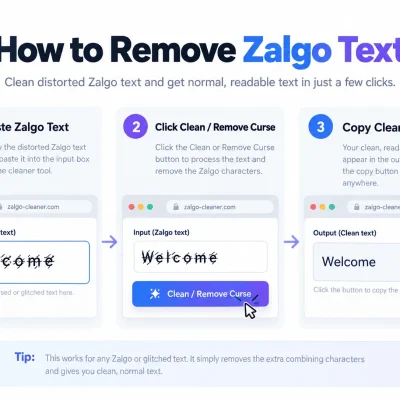
Yes. A compatible UnZalgo cleaner can remove many decorative combining marks and recover the underlying letters. Review the output because some marks may be meaningful.
Final Thoughts
Learning how to use cursed text on TikTok gives you another way to personalize your profile, experiment with spooky captions, and create unusual comments. The process is simple: choose a phrase, generate a decorative Unicode version, copy it, and paste it into a compatible TikTok field. For the best results, keep your text readable, understand the difference between usernames and nicknames, and avoid overwhelming important information with excessive decoration. Ready to create your own glitchy writing? Visit Cursed Text Generator and experiment with a style that matches your TikTok content.