It’s funny how something as simple as text can feel strange and almost alive when it starts breaking apart. If you’ve ever seen weird symbols floating above letters or text that looks corrupted inside Minecraft chat, you’ve already brushed against the idea behind origin of cursed text. That same messy, chaotic style shows up in usernames, server messages, even signs inside worlds. It doesn’t happen by accident. People intentionally create it.
Once you notice it, you start wondering how it’s done and whether Minecraft actually supports it or just tolerates it.
Table of Contents
How to Make Glitch Text in Minecraft
When people ask How to Make Glitch Text in Minecraft, they’re usually talking about combining Minecraft text formatting with external Unicode tricks. The game itself supports certain formatting codes, but the really distorted look—what many call zalgo text or glitch text—comes from layered Unicode characters.
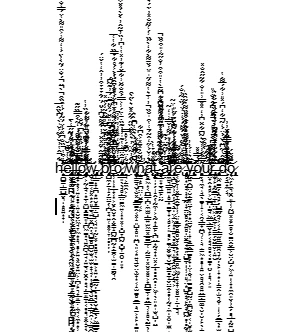
Minecraft reads text in a fairly simple way. It accepts standard characters, and in many cases, it doesn’t block combining marks. Those marks stack above and below letters, creating that broken visual effect. That’s where most minecraft glitch text comes from.
There are two main paths people use:
- Minecraft formatting codes (for color and style)
- Unicode combining characters (for glitch effects)
Used together, they create something that looks far more complex than it actually is.
Understanding Minecraft Text Formatting Basics
Before jumping into glitch effects, it helps to understand minecraft text formatting. The game uses special codes, often starting with the section symbol (§), to change how text appears.
Here’s a simple table to give you a sense of how formatting works:
| Code | Effect |
|---|---|
| §l | Bold text |
| §o | Italic text |
| §n | Underlined text |
| §k | Obfuscated (random characters) |
| §r | Reset formatting |
| §a–§f | Color codes |
That obfuscated mode (§k) is interesting. It already gives a “glitchy” feel because the letters constantly change. But it’s not the same as zalgo text minecraft users often look for—it’s more controlled and less chaotic.
Adding External Glitch Text (Unicode Method)
The real glitch effect comes from Unicode text. This is where things get messy in a good way.
People generate glitch text using online tools, then paste it into Minecraft chat, signs, or usernames. This works because Minecraft doesn’t always filter out combining characters.
Some players wonder if you can use curse text on mobile devices for Minecraft. The answer is yes, though results can vary. Mobile keyboards don’t generate glitch text naturally, so you still rely on external generators.
The process is simple in practice:
- Use a glitch or weird text generator
- Copy the generated text
- Paste it into Minecraft chat or username field
- Adjust if it breaks or doesn’t display properly
Not every server allows it, though. Some strip unusual characters.
Why Glitch Text Looks So Strange
Glitch text feels unnatural because it breaks the expected spacing and alignment of letters. Instead of one character per position, you get stacks of symbols layered on top of each other.
This is where unicode text becomes unpredictable. Different systems render it differently. One device might show heavy distortion, another might barely show anything.
Minecraft doesn’t “create” the effect it just displays what it’s given.
Different Ways to Create Minecraft Glitch Text
There isn’t just one method. People mix approaches depending on what they want.
| Method | Description | Result |
|---|---|---|
| Formatting Codes | Built-in Minecraft codes | Mild effects |
| Unicode Zalgo | External generators | Heavy glitch |
| Symbol Mixing | Manual copy/paste symbols | Custom look |
| Obfuscated Mode (§k) | Randomized text | Animated glitch |
Each method has its own feel. Some players prefer subtle distortion, while others go all-in with chaotic text effects minecraft allows.
Using Generators vs Manual Creation
Most people don’t build glitch text manually. It’s tedious. Generators handle the layering automatically. Still, manual creation gives more control. You can choose exactly how much distortion to add.
At some point, you’ll notice a difference between styles. That’s where cursed vs fancy font comparisons start to matter. Fancy fonts stay readable. Cursed or glitch text often sacrifices readability for effect or can cursed text removed easily.
Where Glitch Text Works in Minecraft
Not every part of the game behaves the same way.
- Chat messages: Usually works well
- Signs: Works, but may clip or overflow
- Usernames: Depends on version and server rules
- Commands: Limited support
- Scoreboards: Often restricted
Minecraft commands text fields can be stricter. Some servers sanitize input to avoid bugs or abuse.
Visual Impact of Glitch Text
There’s a certain appeal in watching text fall apart visually. It feels chaotic but intentional.
Some players use it for:
- Roleplay messages
- Horror-themed builds
- Server announcements
- Unique usernames
The appeal is partly in how funky the cursed text looks when compared to normal chat. It grabs attention quickly.
Limitations and Problems You Might Face
Glitch text isn’t always smooth. There are limits.
| Issue | Explanation |
|---|---|
| Text clipping | Too many characters overflow |
| Rendering issues | Some devices show broken text |
| Server restrictions | Certain servers block Unicode |
| Readability loss | Text becomes hard to understand |
This ties into a common question: is there any limit on cursed text generator output? Technically no, but practical limits exist. Too much distortion can break display entirely.
Minecraft Java vs Bedrock Differences
Not all versions behave the same.
- Java Edition tends to handle Unicode better
- Bedrock Edition can be stricter or inconsistent
- Mobile Bedrock may simplify rendering
So if glitch text works on one platform but not another, that’s expected.
Why Players Use Glitch Text Anyway
Despite the issues, people keep using it. There’s something appealing about breaking the normal look of text.
Some use it for humor, others for style. Some just like experimenting.
If you dig deeper into why cursed text is so weird, it really comes down to how our brains expect text to behave. When letters stop behaving normally, it creates that strange, almost unsettling feeling.

Step-by-Step Example for Beginners
If you’re trying this for the first time, here’s a simple approach:
- Search for a glitch text generator
- Enter your normal text
- Choose a style (light, medium, heavy distortion)
- Copy the output
- Paste into Minecraft chat
That’s it. No complex setup.
For those looking for a how to make glitch text in minecraft step by step guide, this is usually enough to get started.
Best Use Cases for Minecraft Glitch Text
Some situations work better than others.
| Use Case | Why It Works |
|---|---|
| Horror maps | Adds atmosphere |
| Server branding | Unique identity |
| Chat reactions | Eye-catching |
| Creative builds | Enhances theme |
Overusing it, though, can make everything feel cluttered.
Common Mistakes to Avoid
A few things people run into:
- Using too many combining characters
- Copying text that breaks formatting
- Trying to use glitch text in restricted fields
- Expecting consistent results across devices
These small issues can make glitch text frustrating if you’re not expecting them.
Does Glitch Text Affect Performance?
In most cases, not really. But extremely heavy unicode stacking can slow down rendering slightly, especially on weaker devices.
Minecraft wasn’t designed for complex text rendering. It just handles it as best as it can.
Is Glitch Text Safe to Use in Minecraft?
Generally yes. It doesn’t harm the game itself. The main concern is server rules.
Some servers block unusual characters to prevent spam or visual abuse.
If you’re unsure, test it in single-player first.
Final Thoughts That Feel a Bit Honest
Glitch text in Minecraft sits somewhere between creativity and chaos. It’s not necessary for gameplay, but it adds personality. Sometimes it looks cool, sometimes it’s unreadable, and sometimes it just breaks completely.
Still, that unpredictability is part of the appeal.
If you’re experimenting with minecraft glitch text, don’t expect perfection. Try a few styles, see what works on your version, and adjust from there. That’s usually how people figure it out anyway.