Zalgo text not working when you copy, paste, or post it? The problem usually comes from unsupported Unicode characters, browser clipboard restrictions, excessive text distortion, or the way an app displays special characters. Sometimes the text looks perfect inside a generator but turns normal after pasting. Other times, the symbols disappear, letters overlap, or an app refuses to accept the text. Fortunately, most of these problems have straightforward fixes. This guide covers nine common Zalgo text issues, explains why they happen, and shows you how to troubleshoot them without technical knowledge.
Table of Contents
Why Is Zalgo Text Not Working?
Zalgo text can stop displaying correctly because different applications handle Unicode combining marks differently. Some preserve the distorted appearance, while others clip, rearrange, or remove the extra marks.
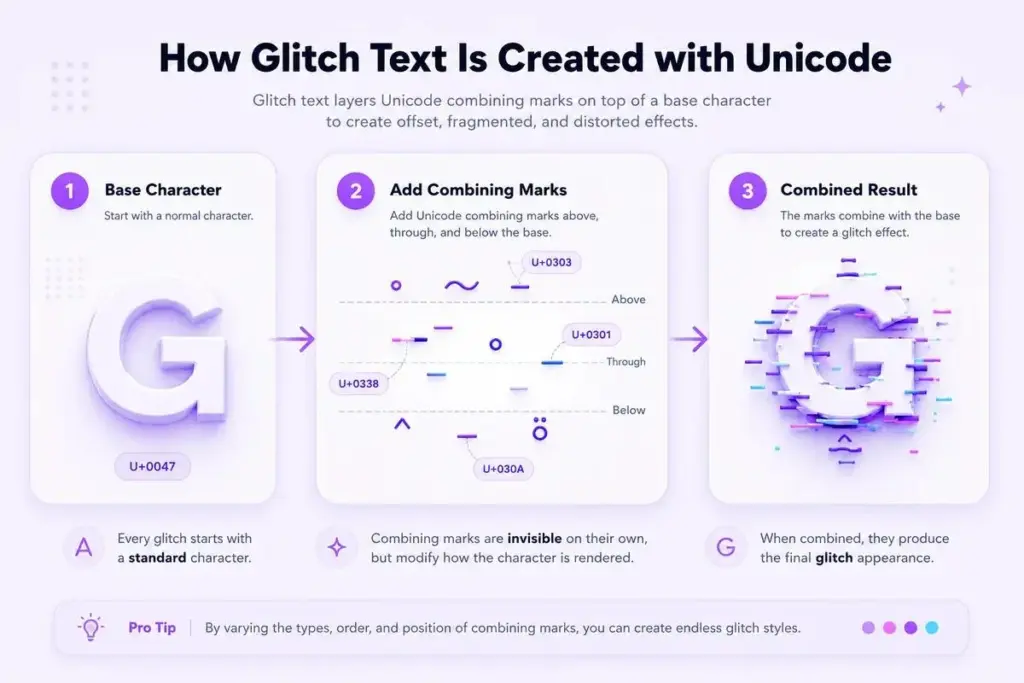
Zalgo isn’t actually a special font. It consists of normal letters combined with Unicode characters called combining diacritical marks. These marks attach above, below, or through existing letters.
For example:
Normal text: Hello
Light Zalgo: H̷e̶l̴l̷o̶
Heavier Zalgo: H̷̿͌e̶̤̐l̵̦͝l̴͎͌o̷̥̓
The underlying word remains recognizable, but extra characters create the corrupted appearance. According to the Unicode Standard, combining marks are attached to base characters. How those marks appear depends partly on fonts and text-rendering systems.
That explains why a single Zalgo message can look different across websites, mobile apps, and computers.
Quick Diagnosis: Find Your Zalgo Text Problem
Before changing settings, identify what actually happens to your text.
| Problem | Possible Cause | First Fix to Try |
| Generator shows no output | Input or browser problem | Try a short phrase |
| Copy button does nothing | Clipboard access blocked | Select and copy manually |
| Pasted text becomes normal | Marks removed by destination | Test another text field |
| Symbols appear as boxes | Font rendering issue | Try another browser or device |
| Letters overlap badly | Excessive combining marks | Reduce intensity |
| Text differs across apps | Different rendering behavior | Use lighter Zalgo |
| Username gets rejected | Character restrictions | Shorten or simplify |
| Browser becomes slow | Very long, heavily distorted text | Generate smaller sections |
| Cannot remove distortion | Combining marks remain | Use an UnZalgo cleaner |
Start with the easiest test: generate a lightly distorted word, copy it into a plain-text note, and compare that result with the app where you’re experiencing trouble.
9 Common Zalgo Text Problems and How to Fix Them
1. Zalgo Text Generator Is Not Producing Any Text
You enter a phrase, but the output area remains empty or doesn’t update. This may happen because the input hasn’t been recognized, the page hasn’t loaded properly, or a browser extension is interfering with the tool.
How to fix it:
First, enter a simple word such as “Hello” instead of a long paragraph. Refresh the page and try again. On CursedTextGenerator.us, you can generate different cursed text styles. Its dedicated Zalgo tool also provides intensity controls and presets.
If the output still doesn’t appear, try opening the generator in another browser. You can also temporarily disable browser extensions that modify page content, then retest. If the generator works in a different browser, the issue is more likely related to your original browser environment than the text itself.
2. Zalgo Copy and Paste Is Not Working
The distorted text appears correctly, but clicking Copy doesn’t transfer anything. This is a different problem from broken Unicode rendering. The output exists, but your browser may not have successfully written it to the clipboard. Modern browsers apply security restrictions to clipboard access, and clipboard operations can fail if permission is denied.
How to fix it:
Try clicking the Copy button directly rather than triggering it through another action. If nothing happens, manually select the generated text and copy it using Ctrl+C on Windows or Command+C on macOS. Paste the result into a note to confirm it was copied.
If manual copying works but the button doesn’t, try a different browser or check whether browser permissions and extensions are interfering. Avoid repeatedly regenerating the text until you’ve confirmed that copying is the actual problem.
3. Zalgo Text Turns Normal After Pasting
You copy a distorted word, but the destination shows only regular letters.
For example:
Before: H̷e̶l̴l̷o̶
After: Hello
This often means the destination has removed the combining marks while keeping the original letters.
Some text fields process or sanitize input before displaying or saving it.
How to fix it:
Paste the same text into a simple note first. If the Zalgo effect remains in the note but disappears in your target app, the destination is probably responsible. Try a lighter version with fewer combining marks.
You can use the Zalgo Text Generator and select its Mini preset or reduce its intensity settings. if the app consistently removes all combining marks, changing generators may not help. You may need to use ordinary text or a graphic instead.
4. Zalgo Characters Show as Boxes or Missing Symbols
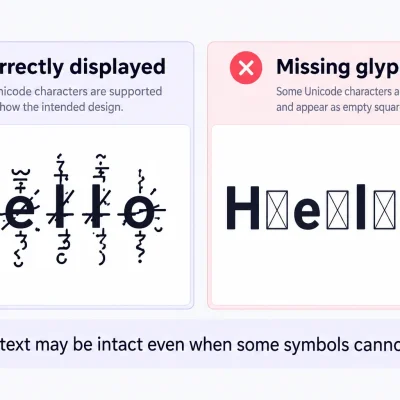
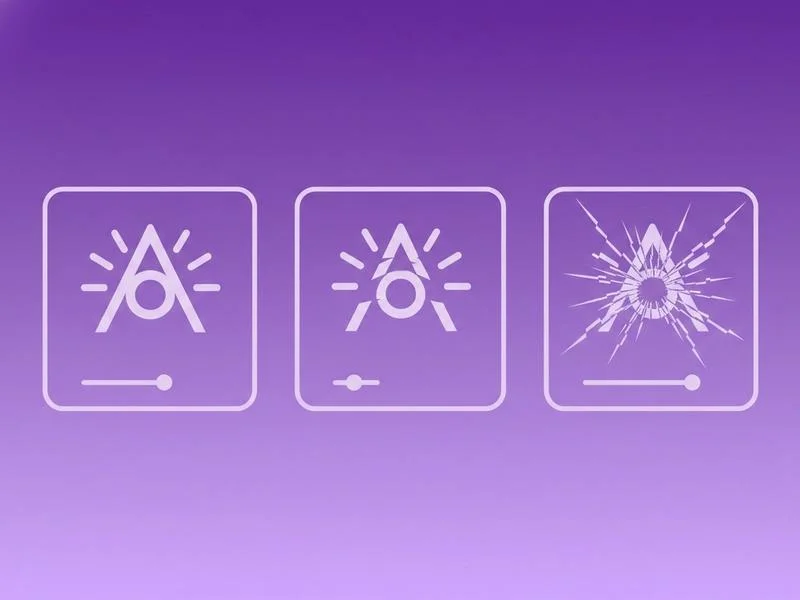
Sometimes Zalgo text doesn’t disappear entirely. Instead, you see empty squares, unusual placeholder symbols, or missing accents.
This is often a font-support or text-rendering problem. Not every font contains suitable glyphs for every Unicode character. The Unicode Consortium’s guidance on unsupported characters explains why missing glyphs may appear as replacement symbols.
How to fix it:
Check whether the same text displays correctly in another browser or on another device. If it does, your original environment may have limited font support. Updating your browser or operating system may help in some cases, although it cannot guarantee that every unusual character combination will render properly.
Alternatively, regenerate the phrase with a lighter style that uses fewer marks. This is particularly useful when one or two unusual symbols are causing the entire word to look inconsistent.
5. Zalgo Text Is Overlapping or Getting Cut Off
One of the most recognizable Zalgo problems is text overflowing into other lines. A heavily distorted word may look dramatic in a generator but become unreadable inside a small messaging window.
The problem is usually the amount of vertical distortion. Combining marks can extend beyond the normal height of letters, while some interfaces limit the visible text area.
How to fix it:
Reduce the intensity rather than changing the original wording. On the dedicated Zalgo generator, try the Mini preset or lower the number of Up and Down marks.
If the marks above the letters are being cut off, try a style with fewer upper marks. If distortion below the letters is disappearing, reduce the lower marks. Test a short, single-line phrase before copying a longer message. For profile bios, chat messages, and usernames, a subtle effect generally provides a better balance between appearance and readability.
6. Zalgo Text Looks Different on Instagram, Discord, or Mobile
You create an interesting glitch effect on your laptop, but it looks completely different when viewed on a phone. This doesn’t necessarily mean the text was corrupted during copying. Apps and operating systems can use different fonts, rendering engines, line spacing, and display rules. A mark that extends far above a letter on desktop may be clipped inside a compact mobile interface.
How to fix it:
Test your text in the actual destination before publishing it. Compare the appearance in the editing field with the saved or published version. A preview isn’t always identical to the final display.
If the text overlaps or appears incomplete, regenerate it using fewer symbols. You should also check the appearance on mobile when preparing social media content. For a closer look at device differences, read our guide on whether cursed text works on mobile devices.
7. Zalgo Text Is Rejected in Usernames or Profile Fields
A distorted username might be accepted in a message but rejected when entered into a profile name field. The reason may be a platform’s character restrictions, input validation, or length requirements. A word that looks like six letters can contain many more Unicode characters because every added combining mark is part of the underlying text.
How to fix it:
Start with a much shorter name. Remove unnecessary symbols and use the lightest distortion available. If a field rejects the text completely, try ordinary letters to confirm that the field itself works. Then test a version with only one or two combining marks.
Some platforms don’t permit particular characters in usernames, even when those characters can appear in messages or bios. There’s no universal workaround for such restrictions. Use a supported display style instead of trying to bypass platform rules.
8. Heavy Zalgo Text Makes the Browser Slow
Zalgo text can become surprisingly large beneath its chaotic appearance. A short phrase with numerous marks attached to every character contains much more text data than the visible letters suggest. Very long or heavily distorted input may take additional time to generate, display, select, or edit.
How to fix it:
Keep your initial test short and reduce the intensity. Generate one sentence at a time instead of applying extreme distortion to a large paragraph. If the browser becomes unresponsive, stop the operation, reopen the page, and try a lighter setting.
The main Cursed Text Generator itself advises that very long input exceeding roughly 800 characters may cause slowdown. For particularly elaborate designs, consider using the site’s PNG download option for the Crazy Cursed output. An image preserves a particular visual appearance, although it won’t function as editable or searchable text.
9. You Cannot Remove Zalgo Marks From Copied Text
Sometimes the opposite problem occurs: you successfully create cursed text but later need to restore the original wording. Deleting the marks manually can be frustrating because they are separate Unicode characters attached to visible letters. Fortunately, you don’t normally need to remove them one by one.
How to fix it:
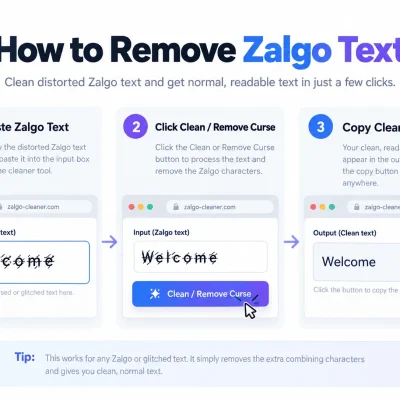
Open the Cursed Text Generator and find its UnZalgo Cleaner. Paste the distorted text into the cleaning area and select Clean / Remove Curse.
The cleaner is designed to remove Zalgo combining marks and return a more readable version of the text. For example:
Cursed: H̷e̶l̴l̷o̶
Cleaned: Hello
Keep in mind that cleaning is not the same as recovering deleted information. If another application has already removed or replaced the original letters, a cleaner cannot reconstruct those missing characters reliably.
How to Prevent Zalgo Text Problems
Most compatibility problems become easier to manage when you treat Zalgo as a decorative effect rather than a replacement for ordinary writing. Use light distortion for text people need to read, especially names, short descriptions, and chat messages.
Reserve heavier effects for horror illustrations, memes, and creative designs where perfect readability matters less. Before publishing important content, test it in the destination application. Keep an ordinary copy of the wording so you can edit or reuse it later.
For accessible content, avoid relying on heavily distorted text to communicate essential information. Screen readers may announce or process combining marks in ways that make the message difficult to understand. When exact appearance matters more than text selection, an image may be useful. If you use one, provide a meaningful text alternative where appropriate.
Frequently Asked Questions
Why is my Zalgo text not working after copying?
The destination app may be removing combining marks or rendering them differently. Paste the text into a simple note first. If it works there, try a lighter version in your target app.
Why does Zalgo text disappear on Instagram?
Some text fields may reject, remove, or fail to display certain combining characters. Try a shorter phrase with fewer marks and test the published result. Behavior can differ by field and app version.
Does Zalgo text work on Discord?
Zalgo text can display in Discord messages, but heavy stacking may create layout or readability problems. Usernames and other profile fields can have different character restrictions, so test them separately.
Why does Zalgo text look broken on Android or iPhone?
Different devices and apps may position Unicode combining marks differently. Fonts, line spacing, and rendering behavior affect the result. Reducing the number of marks often improves readability.
How do I fix glitch text not working on websites?
First determine whether the issue involves generation, copying, or display. Test a short sample in another browser and a plain-text field. If only one website changes the text, its input handling may be responsible.
Can I remove Zalgo text without retyping everything?
Yes. If the base letters are still present, an UnZalgo cleaner can remove the combining marks. CursedTextGenerator.us includes a cleaner for this purpose.
Is Zalgo text dangerous or a computer virus?
No. Zalgo text is a text-formatting effect made with Unicode characters, not executable malware. Extremely complex strings can still create display, performance, or accessibility problems in some applications.
Final Thoughts
When Zalgo text is not working, the best fix depends on what actually failed. If nothing appears in the generator, check the input and browser. If copying fails, test the clipboard. If text changes after pasting, examine the destination app and lower the distortion level. For missing symbols, overlapping lines, or rejected usernames, a lighter Zalgo style is often the simplest solution. You can experiment with different levels of distortion using the Zalgo Text Generator or explore additional styles with the Glitch Text Generator. The goal isn’t to eliminate the glitch effect. It’s to keep the deliberate chaos without losing the message underneath.