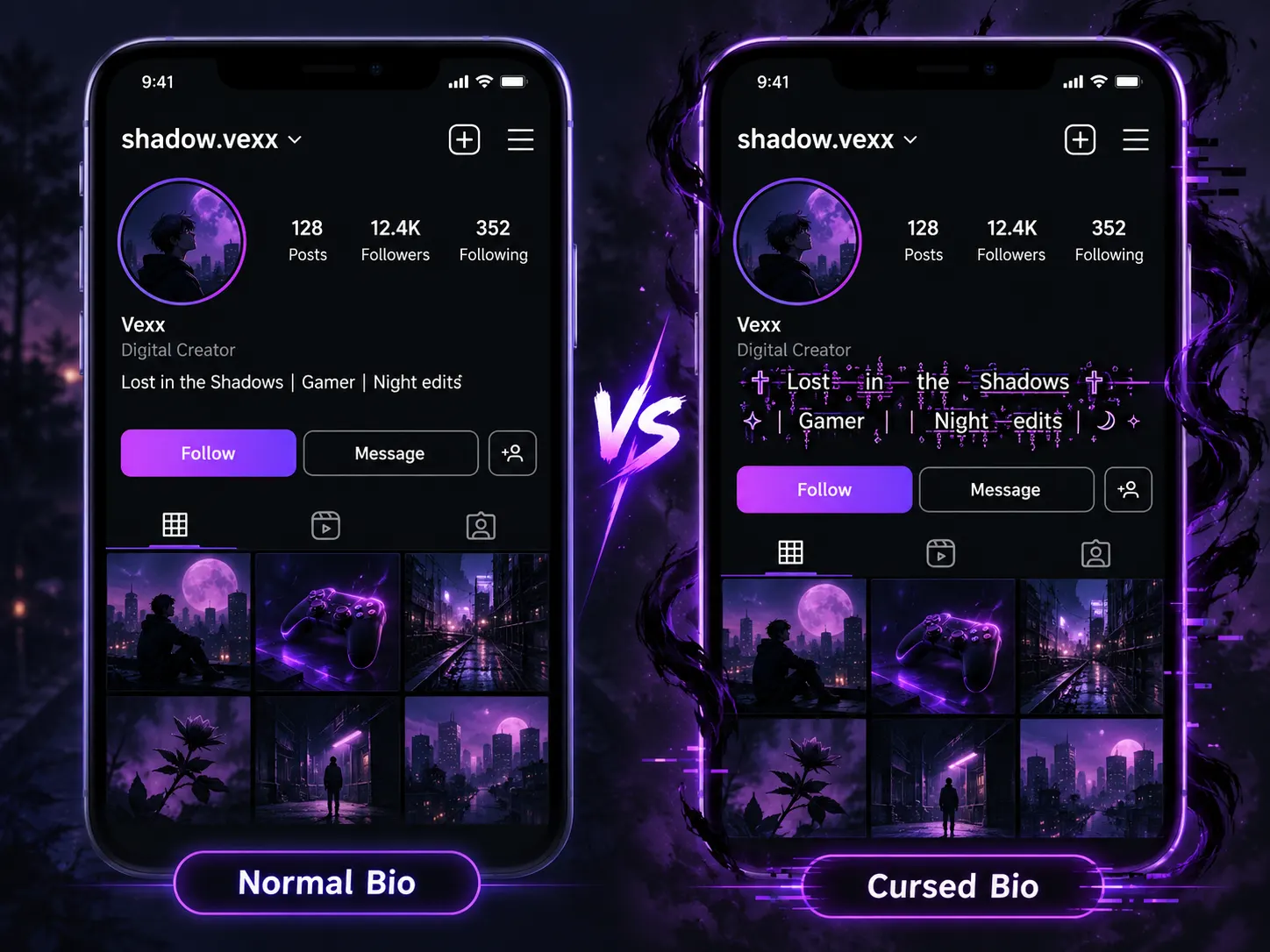
Want to give your Instagram profile a mysterious, glitchy, or spooky appearance? Learning how to use cursed text in Instagram bio is a simple way to transform ordinary writing into something more creative. You don’t need to download special fonts, install complicated software, or understand technical formatting. All you need is a cursed text generator and a few moments to customize your profile.
Cursed text is particularly popular among people who enjoy dark aesthetics, horror content, gaming culture, and unusual social media designs. It changes the appearance of regular letters by adding decorative marks, creating a distorted effect that can make a short Instagram bio stand out. In this guide, you’ll learn how to generate cursed text, copy and paste it into your Instagram bio, discover creative bio ideas, and solve common formatting problems. Read More
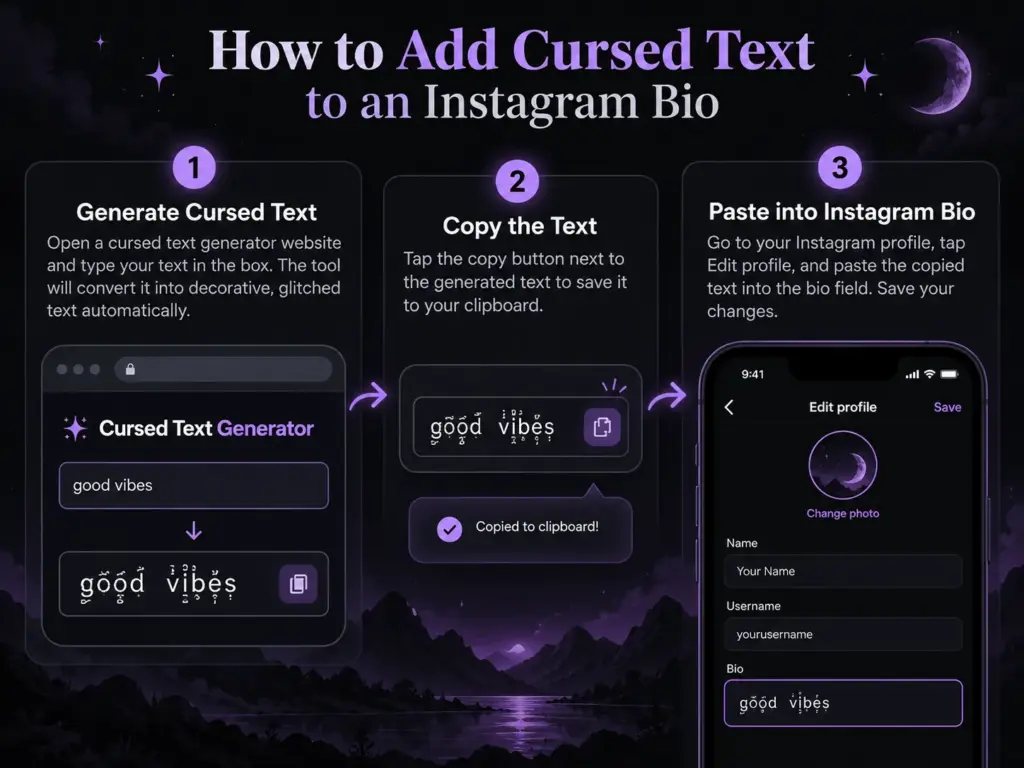
Table of Contents
What Is Cursed Text for Instagram Bio?
Cursed text is a decorative writing style that makes ordinary letters appear distorted, corrupted, or surrounded by unusual symbols. It is commonly associated with Zalgo text, which uses Unicode combining marks to create a glitch-like appearance. For example, a normal Instagram bio might say “Lost in the Shadows,” while a cursed version could appear as “L̷o̸s̵t̶ i̷n̸ t̵h̶e̷ S̸h̵a̶d̷o̸w̵s̶.”
Although the second example looks different, the original letters remain recognizable beneath the additional marks. This is why cursed text can often be copied and pasted into supported applications without requiring a custom font. Instagram users frequently experiment with this writing style to create mysterious bios, horror-inspired profiles, creative usernames displayed as profile names, and unusual captions. The effect can complement a particular visual identity, especially when combined with appropriate profile pictures and other design elements.
However, cursed text is most effective when it remains readable. Excessive distortion may make a profile difficult to understand, particularly for visitors using smaller screens.
How to Use Cursed Text in Instagram Bio: Step-by-Step Guide
Adding cursed text to your Instagram bio involves generating a decorative phrase and pasting it into your profile settings. The process is similar on Android and iPhone, although menu labels and screen layouts may vary between app versions.
Step 1: Open a Cursed Text Generator
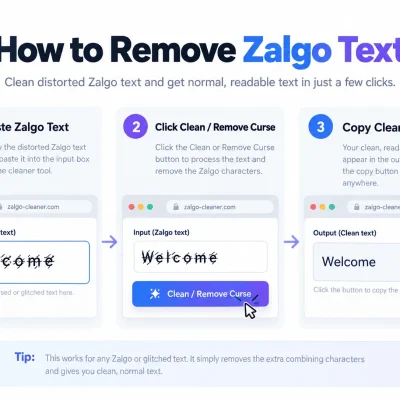
Start by visiting Cursed Text Generator in your web browser. A generator allows you to experiment with decorative Unicode writing without manually adding special characters.
Think about the message you want your Instagram bio to communicate. A personal profile might use a mysterious quote, while a gaming account may prefer a glitch-inspired nickname or short phrase.
Selecting your wording before applying an effect helps you maintain a consistent theme.
Step 2: Enter Your Instagram Bio Text
Type the phrase you want to transform into cursed text. You might choose something simple, such as “Dark Soul,” “Midnight Dreams,” or “Lost in My World.”
Short phrases are generally better suited to decorative effects because they are easier to recognize and less likely to create formatting problems. If the generator offers several variations, compare them and select one that matches your preferred appearance. A subtle effect may suit an aesthetic profile, while heavier distortion may work for a horror-themed account.
Step 3: Copy Your Favorite Cursed Text
Once you’ve selected a suitable style, copy the generated text. Make sure the entire phrase is included, especially if it contains unusual marks above or below the letters.
Before pasting, examine whether the words remain readable. A decorative effect should support your profile’s personality rather than make the text impossible to understand.
If the result appears overly crowded, consider choosing a lighter variation.
Step 4: Paste Cursed Text Into Instagram
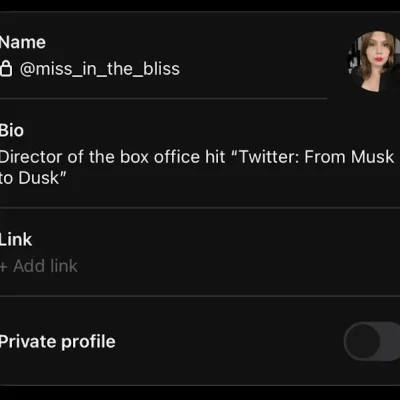
Open Instagram and navigate to your profile. Tap Edit Profile and find the Bio field. Paste the cursed text into the field, then review how it appears alongside any existing description, emojis, or line breaks. You can use cursed text for your entire bio, but applying it to one short phrase often creates a cleaner presentation. Save the changes and return to your profile to preview the final result.
Step 5: Check Your Profile Appearance
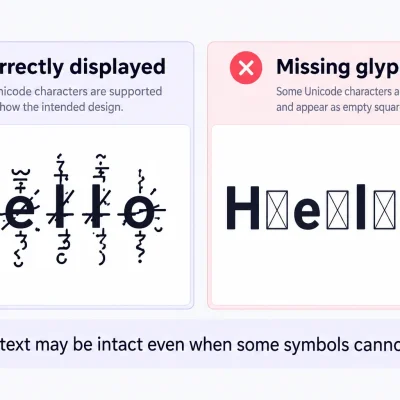
After updating your bio, examine the text carefully. Some Unicode characters may display differently depending on the device, operating system, or available fonts. If possible, preview your profile on another device to see whether the decorative marks overlap nearby text.
If your bio looks messy or Instagram refuses to save it, try reducing the distortion or shortening the phrase.
Creative Cursed Instagram Bio Ideas to Copy and Paste
Finding the right phrase can be more challenging than generating the text itself. A strong Instagram bio should reflect your interests, personality, or creative identity.
For a mysterious aesthetic, phrases such as “L̷o̸s̵t̶ S̷o̸u̵l̶” and “D̷a̸r̵k̶ D̷r̸e̵a̶m̷s̸” create an unusual appearance without requiring a long description. If you enjoy horror themes, you might prefer “H̷a̸u̵n̶t̷e̸d̵ M̶i̷n̸d̵” or “D̷o̸n̵’̶t̷ L̸o̵o̶k̷ B̸a̵c̶k̷.” These phrases fit naturally with dark artwork, supernatural stories, and suspense-inspired content.
Gaming enthusiasts can experiment with “G̷a̸m̵e̶ O̷v̸e̵r̶” or “G̷l̸i̵t̶c̷h̸ M̵o̶d̷e̸.” Such phrases communicate a digital aesthetic that can complement gaming clips, streaming content, and game-related profiles. For a softer gothic style, consider short descriptions such as “M̷i̸d̵n̶i̷g̸h̵t̶ R̷o̸s̵e̶” or “S̷i̸l̵e̶n̷t̸ D̵r̶e̷a̸m̵s̶.” These examples are intended as creative starting points. Personalizing the wording is often more meaningful than copying a phrase used by many other accounts. Read More
Why Do People Use Glitch Text in Instagram Bios?
Instagram is a visual platform where profile pictures, highlights, captions, and bios work together to create an identity. Decorative typography gives users another way to express their personal style. Cursed text is particularly appealing to creators who enjoy unconventional visual themes. Horror artists may use distorted writing to reinforce a supernatural atmosphere, while gaming creators might use it to reflect digital glitches or retro gaming aesthetics.
Some personal accounts simply use unusual text because it feels different from standard profile descriptions. A well-chosen phrase can also establish a connection between your bio and the content you publish. For example, a photographer sharing dark cinematic images may choose a mysterious bio that matches the mood of their posts.
However, visual decoration alone doesn’t guarantee a more engaging profile. Your bio should still explain something about you or your content, especially if you want new visitors to understand why they should follow your account.
Different Types of Cursed Fonts for Instagram
Although people often call these effects cursed fonts, many are created through Unicode characters rather than traditional font files.
The main styles differ in how heavily they modify ordinary text.
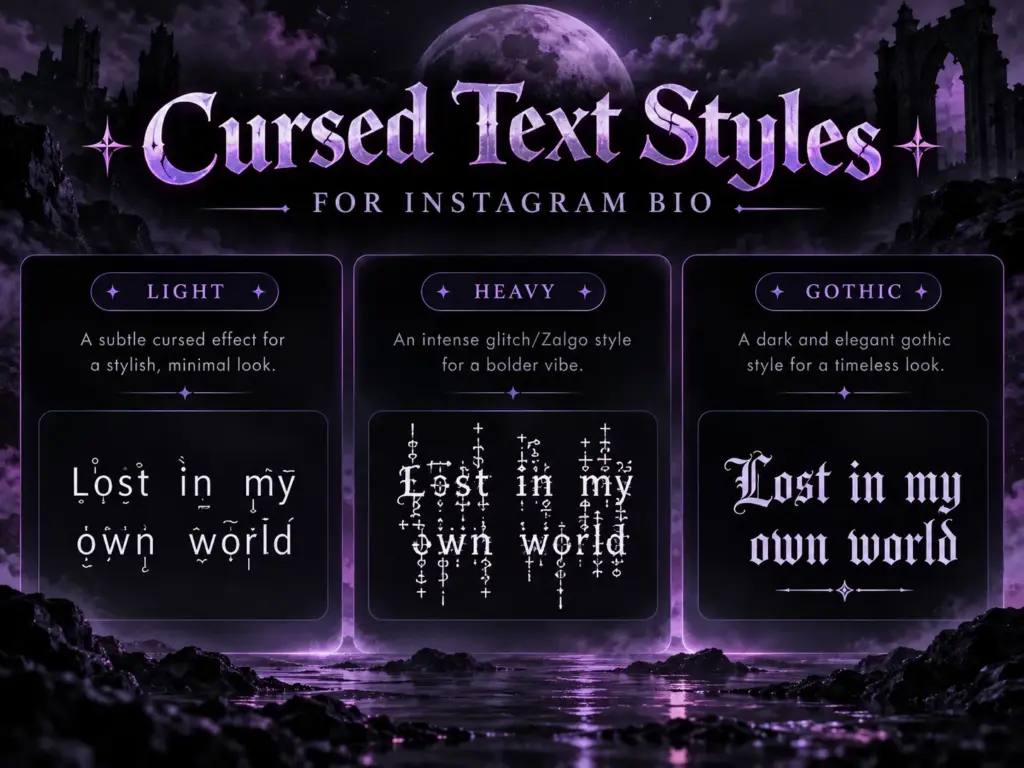
Light Cursed Text
Light cursed text uses a small number of decorative marks, creating a subtle distorted appearance while keeping the original words recognizable.
This style works particularly well for Instagram bios because it balances creativity with readability. It’s also useful for people who want a mysterious profile without making every word difficult to understand.
Heavy Zalgo Text
Heavy Zalgo text adds multiple marks above, below, and through individual letters. The result may look dramatic, corrupted, or deliberately chaotic.
This style can work for experimental artwork or horror-inspired content. However, heavy distortion may cause spacing problems and can interfere with nearby text.
For Instagram bios, a short heavily styled phrase is usually more manageable than an entire paragraph.
Gothic and Dark Aesthetic Text
Gothic text often uses alternative Unicode letterforms rather than stacked combining marks. It creates a different appearance from Zalgo text, usually emphasizing decorative lettering rather than visual corruption. People interested in dark fashion, gothic art, and alternative music may prefer this style because it can look distinctive while remaining relatively organized.
Instagram Bio Character Limit and Cursed Text
Instagram bios have a 150-character limit, making text length an important consideration when using decorative writing. Cursed text can consume more characters than its appearance suggests. This happens because a visible letter may contain additional Unicode combining marks that contribute to the underlying text. For example, a short phrase that appears to contain only a few letters may include many extra marks after being converted into Zalgo text.
As a result, some heavily distorted phrases may exceed the bio limit even though they look relatively short. If Instagram doesn’t accept your text, try using fewer decorative marks or reducing the number of words. You can also combine ordinary writing with a short cursed phrase. This approach allows you to preserve important information, such as your interests or content category, while still adding a creative visual element.
Can You Use Cursed Text in Instagram Usernames?
Instagram usernames and profile bios serve different purposes and follow different character restrictions.
Your Instagram username is the unique handle that appears after the @ symbol. It generally uses letters, numbers, periods, and underscores rather than arbitrary decorative Unicode characters. Because of these restrictions, heavily glitched Zalgo text usually isn’t suitable for the actual username field. The bio and profile name fields offer more flexibility, making them better places to experiment with decorative writing. For example, a gaming creator can maintain a simple username that’s easy to search while using a cursed phrase in their profile description. This helps preserve account identification while allowing creative customization.
If Instagram rejects a decorative name, choose a simpler style rather than trying to force unsupported characters into the field.
Why Is My Cursed Text Not Working on Instagram?
One common problem is that the generated text contains too many Unicode characters. Since combining marks count as part of the underlying text, heavy distortion can make a short phrase exceed Instagram’s available bio space. Another issue involves font rendering. Different phones and operating systems may display the same Unicode characters differently, causing marks to overlap or appear misaligned. Sometimes the text pastes correctly but becomes difficult to read after saving. This usually means the chosen effect is too intense for the available space. A practical solution is to generate a shorter phrase or select a lighter variation.
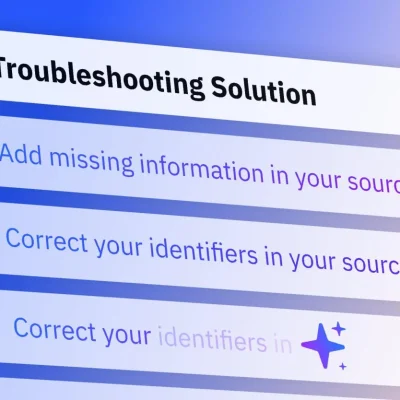
If the app refuses to save the changes, test an ordinary phrase first, then gradually introduce decorative characters. This can help identify whether the problem is related to the text itself or another temporary application issue.
Tips for Creating an Attractive Cursed Instagram Bio
An effective cursed Instagram bio should look interesting while still helping visitors understand your profile. Begin with a phrase that genuinely fits your content. A horror-themed account might use mysterious wording, while an artist could choose something inspired by creativity or imagination. Avoid applying heavy distortion to every sentence. A single decorative phrase surrounded by ordinary text often creates a more balanced appearance.
Consider the overall visual theme of your profile. Your profile picture, highlight covers, and written description should feel connected rather than competing for attention. Accessibility also matters. Decorative Unicode text can be difficult for screen readers to interpret, so keep important contact details, business information, and essential descriptions in ordinary text. Finally, preview your completed bio on mobile. Since profile descriptions appear in a compact area, even small formatting differences can affect readability.
Frequently Asked Questions
How do I use cursed text in my Instagram bio?
Use an online cursed text generator to create a decorative phrase, copy the result, open Instagram’s Edit Profile section, and paste it into your Bio field. Save the changes after reviewing the text.
Can I copy and paste cursed text into Instagram?
Yes. Many Unicode-based cursed text styles can be copied and pasted into Instagram bios, profile names, captions, and comments. Some characters may display differently depending on the device.
Why won’t Instagram accept my cursed text?
Your text may exceed the bio character limit or contain characters that aren’t accepted in the selected field. Shorten the phrase or choose a lighter effect.
Is cursed text the same as an Instagram font?
Not exactly. Cursed text often uses Unicode combining marks, while decorative Instagram font styles may replace ordinary letters with alternative Unicode characters.
Can I use cursed text on Instagram Stories?
Many decorative Unicode text styles can be pasted into supported Story text fields. Check the preview before publishing because some characters may display differently.
Does cursed text work on Android and iPhone?
Many cursed text effects work on both platforms, but their appearance may vary depending on system fonts and text rendering.
Can cursed text affect my Instagram profile readability?
Yes. Heavy glitch effects can make words difficult to recognize and may cause accessibility problems. Use subtle decoration for important profile information.
Final Thoughts
Learning how to use cursed text in Instagram bio is a straightforward way to give your profile a distinctive and creative appearance.
By generating a short decorative phrase, copying it, and pasting it into Instagram, you can experiment with glitchy lettering without installing additional applications.
For the best results, choose a style that matches your content, remains readable, and fits within the available bio space.
If you’re ready to explore different styles, visit Cursed Text Generator and create a personalized phrase for your Instagram profile.